Your smartphone probably set you back several hundred dollars. Yet most Aussies treat their mobile devices like disposable items, ignoring simple maintenance that could save hundreds in repair costs. Smart device care isn’t complicated; it just requires knowing what actually works.
Professional repair shops across Australia see the same preventable damage every day: cracked screens from drops, water damage from spills, and battery failures from poor charging habits. The good news? Nearly 80% of these costly repairs are completely avoidable with proper smartphone care tips.
This guide reveals 15 expert mobile device maintenance strategies that extend your phone’s lifespan, optimise performance, and keep more money in your pocket.
Battery Optimisation and Charging Best Practices
Smart Charging Techniques for Battery Longevity
Enable Optimised Battery Charging for Maximum Lifespan
Modern smartphones include intelligent charging features that most people never activate. Your phone’s optimised battery charging learns your daily routine and delays charging past 80% when it predicts extended plug-in time.
This prevents the battery stress that happens when devices stay at 100% charge for hours. Find this setting in your battery options and turn it on, as it can extend battery life by 6-12 months.
Charge Smart: The 10-90 Rule That Actually Works
Forget everything you’ve heard about letting batteries “die completely.” That advice applied to old nickel-based batteries, not today’s lithium-ion technology.
Instead, charge your device when it hits around 10% and unplug it at 90-95%. This charging sweet spot minimises chemical ageing inside the battery. You’ll notice your phone holds charge longer after just a few weeks of this practice.
Physical Protection: Cases and Screen Protectors
Choosing the Right Screen Protector Material
Invest in Premium Screen Protection That Covers 95% of Your Display
Cheap screen protectors create a false sense of security. Quality tempered glass protectors absorb impact energy that would otherwise transfer directly to your screen.
Look for protectors with 9H hardness ratings and full adhesive coverage. The extra $15-$20 investment prevents $200-$400 screen replacement costs.
Installation tip: Apply in a steamy bathroom, as the humidity reduces dust particles that cause bubbles.
Choose Shock-Resistant Cases, Not Hard Plastic Shells
Hard cases look sleek but they’re rubbish at impact protection. They transfer shock directly to your device instead of absorbing it. Professional drop tests consistently show that flexible TPU and silicone cases outperform rigid alternatives.
Choose cases with raised edges around the screen and camera. This creates a protective barrier when your phone lands face-down, which happens in about 60% of drops according to repair shop data.
Safe Charging and Accessory Guidelines
Why Genuine Accessories Matter for Device Safety
Only Use Certified Charging Cables to Protect Internal Circuits
Dodgy charging cables cause more device damage than most people realise. Poor quality cables deliver inconsistent voltage that can fry your phone’s charging circuit, a repair that often costs $150-$300.
Genuine or MFi-certified cables include proper voltage regulation and safety circuits. Yes, they cost more upfront, but they protect thousands of dollars worth of electronics.
Minimise Background Apps to Extend Battery Cycles
Every app running in your background drains battery power, forcing more frequent charging cycles. More cycles mean faster battery degradation.
Review your background app settings monthly. Disable location services, background refresh, and notifications for apps you don’t actively use. This simple step can extend time between charges by 20-30%.
Performance and Software Maintenance
Keep Firmware Updated for Security and Performance
Software updates aren’t just about new features; they include critical security patches and performance optimisations. Outdated firmware leaves your device vulnerable to security breaches and performance issues.
Enable automatic updates or check manually each month. Updated devices run smoother, have fewer crashes, and maintain better battery efficiency.
Limit SIM Card Removal to Prevent Contact Wear
SIM card contacts weren’t designed for frequent removal. Constant swapping wears down the delicate metal connections, leading to network connectivity problems. If you travel overseas or need multiple numbers, consider eSIM-compatible devices or dual-SIM phones instead of physical card swapping.
Environmental Protection and Handling
Temperature Control for Electronics
Keep Your Device Cool to Prevent Internal Component Damage
Heat kills electronics faster than almost anything else. Excessive temperatures degrade battery chemistry, warp circuit boards, and cause solder joints to fail.
Never leave your phone in direct sunlight, hot cars, or near heat sources. If your device feels warm during use, close resource-intensive apps and let it cool down. Consistent overheating can shorten your phone’s lifespan by years.
Avoid Liquid Exposure Even with “Waterproof” Devices
Water resistance ratings have limitations that manufacturers don’t always emphasise. IP68 doesn’t mean your phone survives all water exposure: it’s tested in controlled laboratory conditions.
Salt water, chlorinated pools, and hot liquids can still cause damage. If your device gets wet, power it down immediately and seek professional assessment if you notice any performance changes.
Handle with Care: Secure Grip Techniques
Most drops happen during routine use, not extreme activities. Develop secure handling habits: use both hands when possible, avoid using your phone while walking on uneven surfaces, and consider phone rings or pop sockets for better grip.
Strategic Device Placement Prevents Accidental Damage
Be mindful of where you set your phone. Edge-of-table placement causes countless drops. Couch cushions, bed covers, and loose pockets are common culprits for device loss and damage.
Always place your device on stable, flat surfaces away from edges. This simple awareness prevents more accidents than any protective case.
Data Protection and Device Cleaning
Professional Cleaning Methods for Smartphones
Clean Regularly with Proper Materials and Techniques
Dust and debris accumulate in ports, speakers, and charging connections, causing performance issues over time. Use compressed air for ports and microfibre cloths for screens and surfaces.
Avoid paper towels, tissues, or household cleaners, as they can scratch surfaces or damage protective coatings. Clean your device weekly to prevent buildup that leads to connection problems.
Back Up Data Regularly to Protect Your Digital Life
Hardware fails eventually, regardless of how well you maintain it. Regular backups ensure you don’t lose photos, contacts, and important files when your device needs repair or replacement.
Set up automatic cloud backups and test restoration occasionally. Many people discover their backup wasn’t working only after they need it.
The Bottom Line: Prevention Pays
Following these mobile device maintenance practices can save you $300-$700 annually in repair costs while extending your phone’s useful life by 1-2 years. The small investment in quality accessories and good habits pays for itself many times over.
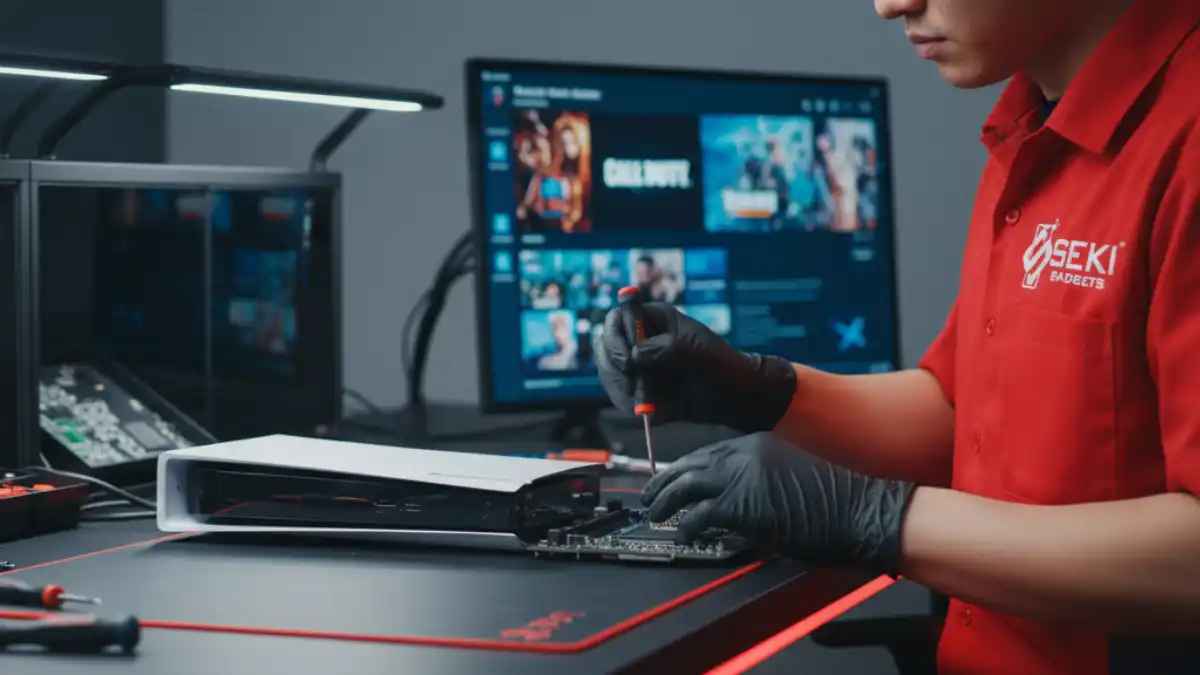
However, if your device does suffer damage, always consult professional repair services rather than attempting DIY fixes. Improper repairs often cause additional damage and void warranties.
Remember: a few minutes of preventive care each week keeps your mobile device running smoothly for years, not months.
Frequently Asked Questions
How often should I replace my phone’s screen protector?
Replace screen protectors when they show significant scratches, cracks, or lifting edges. Quality tempered glass protectors typically last 6-12 months with normal use. If your protector cracks from an impact, replace it immediately, as it’s done its job protecting your actual screen.
Is it bad to charge my phone overnight?
Modern smartphones have built-in charging management that prevents overcharging damage. However, staying at 100% charge for extended periods can stress the battery. Use optimised charging features when available, or consider charging to 80-90% for overnight sessions.
What’s the biggest mistake people make with smartphone maintenance?
Using cheap accessories, especially charging cables and cases. Poor quality accessories cause more device damage than most environmental factors. Invest in certified accessories; they’re insurance for your expensive device.
How can I tell if my device needs professional maintenance?
Watch for warning signs: unusual heating, rapid battery drain, frequent crashes, slow charging, or connectivity issues. If you notice multiple symptoms, professional diagnostic services can identify problems before they become costly repairs.
Do I really need to update my phone’s software regularly?
Absolutely! Software updates include security patches, bug fixes, and performance improvements. Outdated software leaves your device vulnerable to security threats and can cause compatibility issues with apps and services.