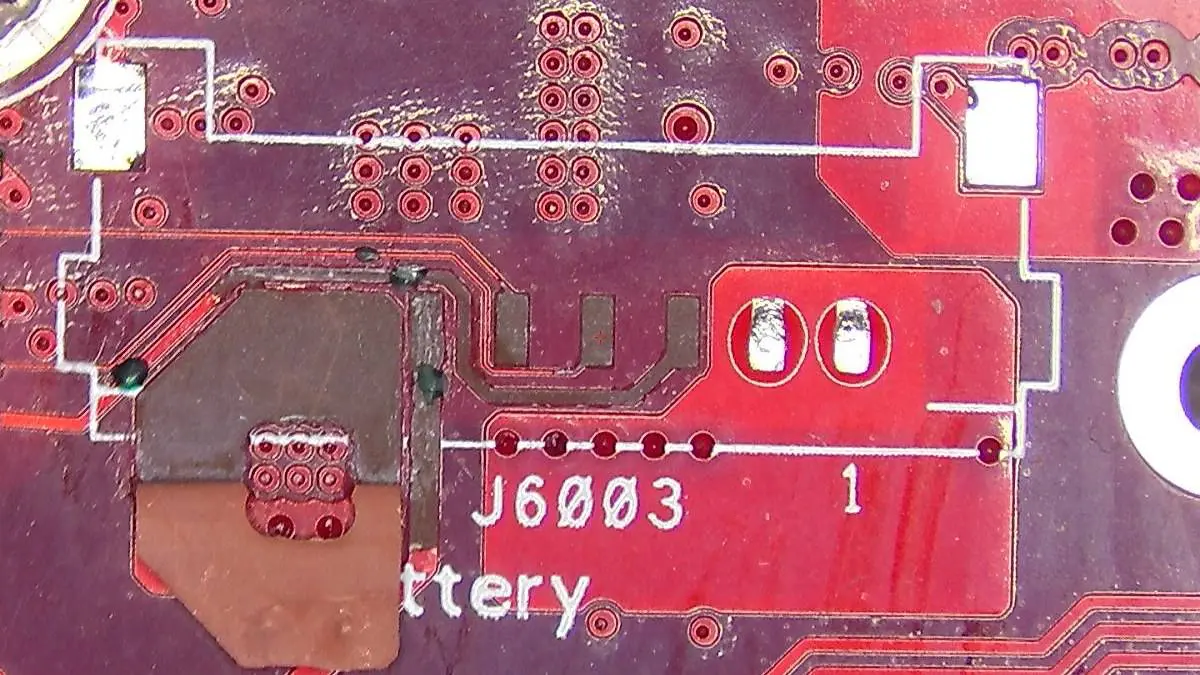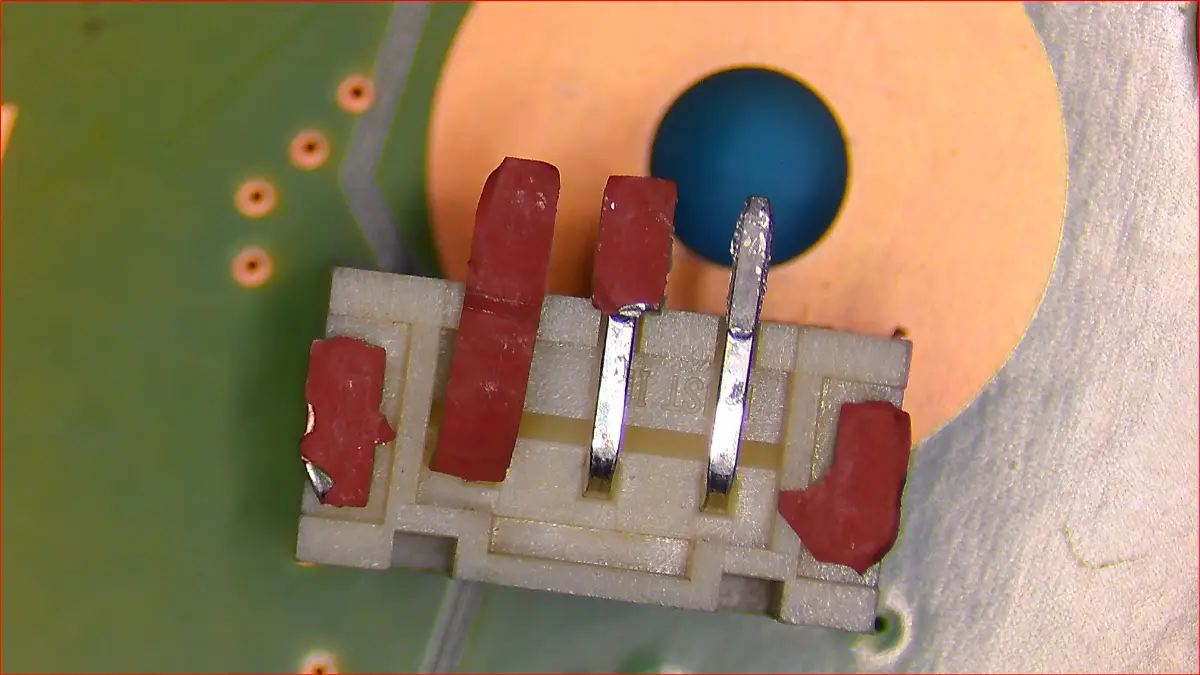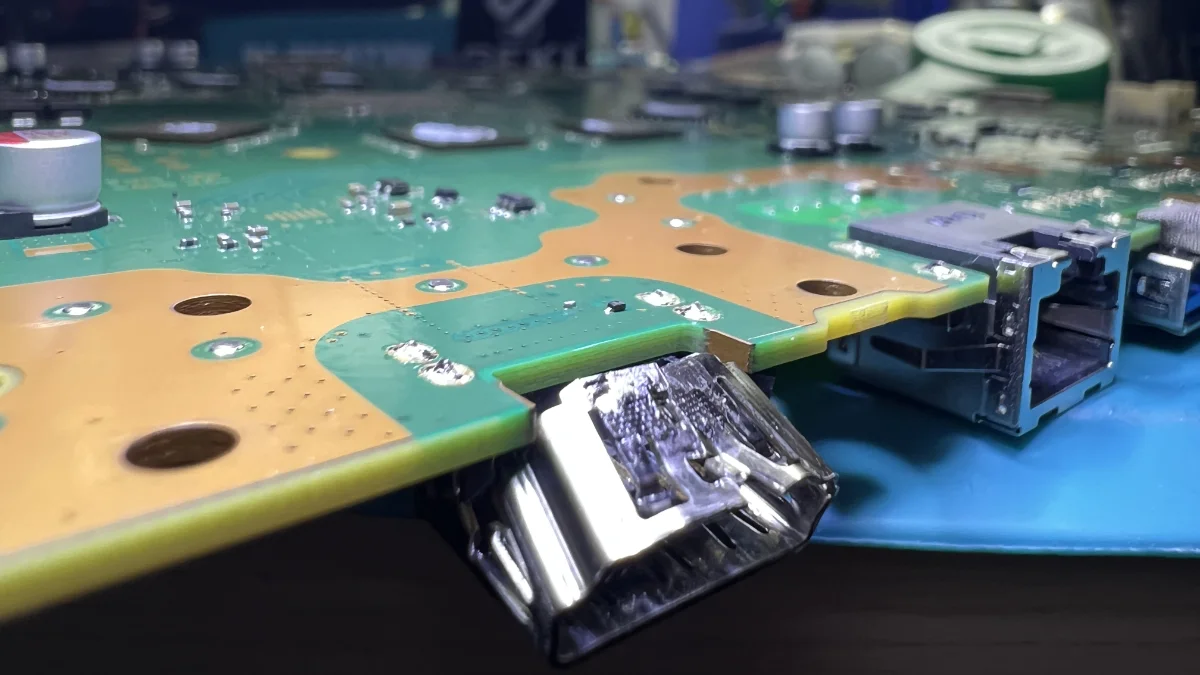
If you are reading this, you have most likely already opened your ROG Ally X and something has gone wrong. The battery connector on this device is internal and only accessible through disassembly. It cannot rip, displace, or come loose through everyday use. If the connector is damaged, the chassis has been opened, and the connector has been mishandled at some point, whether by you just now, by a previous repairer, or by a previous owner.
That is not a judgement. Battery swaps on the ROG Ally X are entirely reasonable to attempt, and ASUS has designed the battery to be field-replaceable. The problem is a single step that is easy to miss: the locking bar. Miss it, apply tension to a locked connector, and things break in ways that range from a simple reseat to a microsoldering job.
This guide is written for two audiences: the owner who just attempted a battery swap and something is now wrong, and the owner who is considering a swap and wants to know exactly what can go wrong before opening the device. We service gaming handhelds at our Franklin workshop in Canberra, and the ROG Ally X is one we know well.
What the ROG Ally X Battery Connector Actually Is
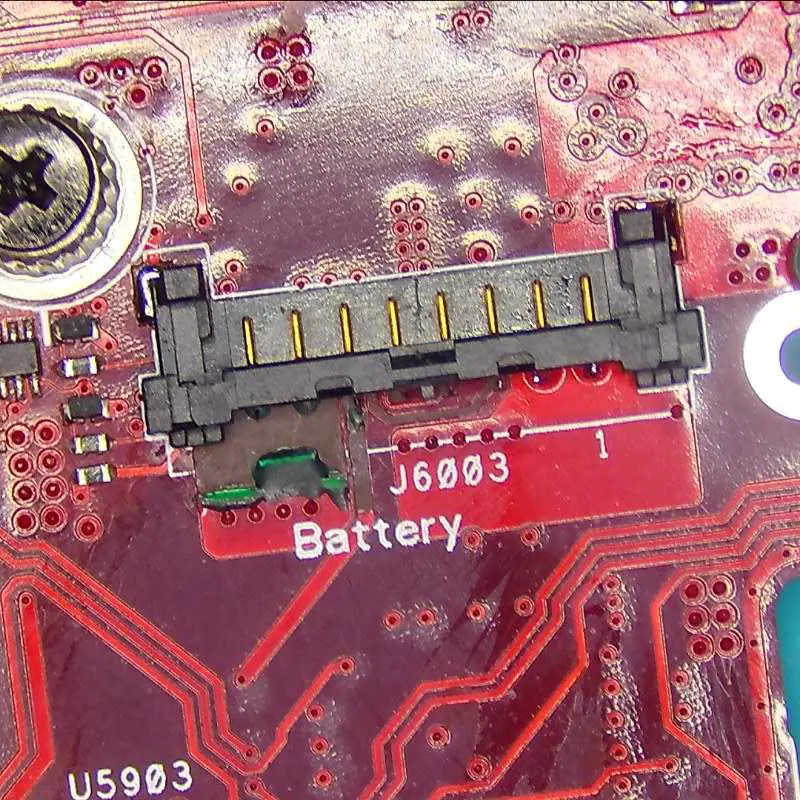
The ROG Ally X uses an 80Wh lithium-ion battery that is internal but designed to be field-replaceable as a module. That distinction matters. It is not a sealed, soldered-in cell that requires board-level surgery to remove. It connects to the motherboard via a discrete 8-pin plug-in connector with a locking bar, a small retention mechanism that holds the plug securely seated during normal use.
The battery itself is sold by ASUS as an official spare part, reflecting their intent that the battery module be a serviceable component. The board-side connector socket, the small component soldered directly to the motherboard, is not a retail item. Replacing the socket requires microsoldering and a parts source that supplies board-rework components. The battery sits beneath a back shell secured by five Phillips #0 screws and one captive screw. The back shell is still attached via a ribbon cable after removal, so it needs to be set to the side carefully rather than lifted away cleanly.
The locking bar is the key detail. It is a small metal lever that slides back to release the connector. Once the bar is fully back, the battery connector flex pulls straight up and out without resistance. If the bar is not fully back, the connector stays partly captive, and any attempt to pull the flex will be met with resistance. That resistance is the moment most damage happens: the user, assuming the cable is stiff or stuck, pulls harder, and the force has to go somewhere.
This connector style is not unique to the ROG Ally X. ASUS uses similar internal battery connector designs across their gaming hardware range, including the ROG Flow Z13 and ROG Strix SCAR 15. We have performed trace reconstruction on this exact failure across several of these devices. The connector style is consistent, the failure mode is consistent, and so is the repair.
Understanding this component is the foundation for understanding everything else in this article.
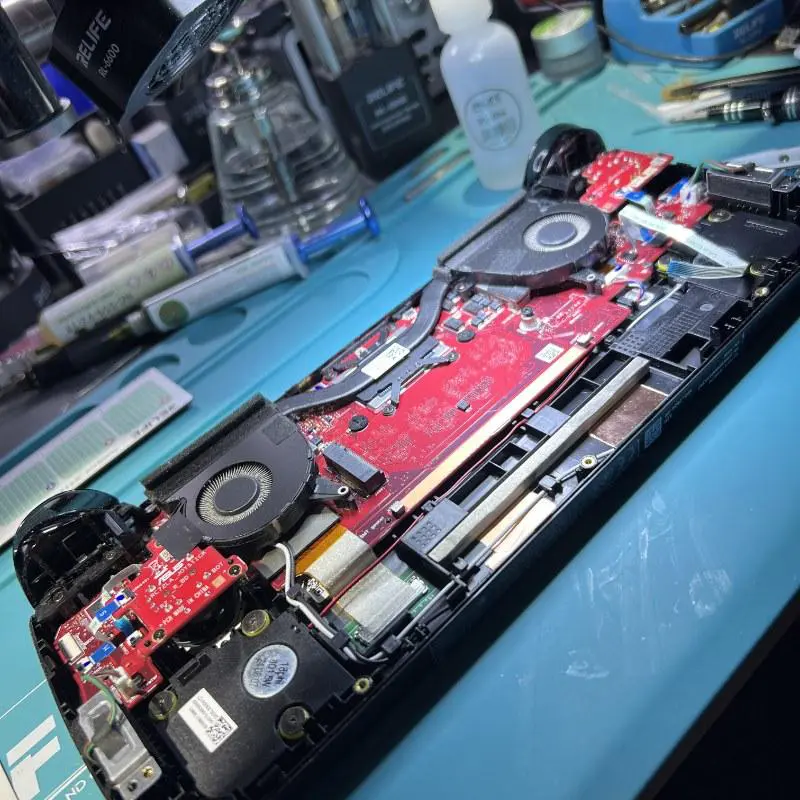
Signs Your ROG Ally X Has a Ripped Battery Connector
Because the connector is only accessible during disassembly, the signs split into two distinct categories: what you can see while the device is open, and what you experience after closing it back up.
What You Will See Inside the Device
If you are currently looking at an open ROG Ally X, here is what a ripped or displaced connector looks like:
- The connector plug is visibly displaced or tilted, sitting at an angle rather than flush with the socket
- The connector sits loose or shifts when touched, rather than clicking firmly in place
- The socket on the motherboard appears lifted or cracked at one or more corners, with visible separation from the PCB surface
- The flex ribbon at the battery end shows creasing, tearing, or separation from the connector body
- Visible discolouration or burn marks around the socket or on the connector body
If you see any of the above, stop. Do not force the connector back in. The damage assessment in the next section will help you decide whether to proceed yourself or bring it in.
Symptoms After Closing the Device Back Up
If the swap appeared to go smoothly at the time but the device is now misbehaving, the connection may not have been fully restored despite looking correct. Common post-disassembly symptoms of a connector problem include:
- The device will not power on at all, even after an extended period on charge
- The device powers on when plugged in but shuts off the moment the cable is disconnected
These symptoms after a recent disassembly indicate the swap did not go as cleanly as it appeared, even if nothing looked wrong at the time. A connector that is partially seated or a socket that is slightly lifted can pass a visual check and still fail under electrical load.
What Causes the Connector to Rip
The realistic picture here is straightforward: the overwhelming majority of ripped ROG Ally X battery connectors result from a DIY battery swap where the locking bar is missed.
DIY Battery Swap With the Locking Bar Not Released
The ROG Ally X attracts technically curious owners, and battery swap guides exist online in reasonable number. The process is not complicated. The locking bar step is the one that trips people up. It is easy to mistake for something that does not need to be touched, or to simply overlook when following a guide quickly.
When someone unfamiliar with this connector tries to pull the flex up without sliding the locking bar fully back, the connector stays partly captive. The user feels resistance and, assuming the cable is stiff or stuck, applies more force. With the bar still holding the plug, that force has to go somewhere. The copper traces on the motherboard are the weak point. They tear, pulling away from the PCB surface and sometimes taking surrounding pads with them. This is the dominant outcome and the one that turns a battery swap into a microsoldering job.
This failure is well-documented across forums and repair communities, on the ROG Ally X and across other ASUS handhelds and laptops. It is not a one-off mistake. It is a predictable consequence of a specific connector design meeting a moment of force applied by someone who does not yet know the locking bar has to come first. Secondary outcomes include the flex ribbon tearing at the battery end or the connector body cracking, but trace damage is what we see most on the bench.
It is also worth understanding why owners attempt the swap in the first place. Battery swelling is one of the most common reasons. As a lithium-ion cell ages or degrades, it can expand from internal gas build-up. An owner who notices the back cover sitting slightly proud, or who has been told by a repair shop that the battery is swollen, is entirely reasonable to want the battery replaced. A swollen battery does not itself rip the connector, but it is a common starting point for the chain of events: swollen battery, owner or repairer attempts a swap, locking bar is missed, connector is damaged.
Drops With the Back Shell Removed
If the device was already open for any reason and sustains a drop, the unsupported battery module can shift enough to stress the connector joint. This is rare but possible, and worth knowing if you have been working on the device over multiple sessions.
Inherited Damage
The third scenario is less about what the current owner did and more about the history of the device. If the ROG Ally X was serviced by someone else, bought second-hand, or had a prior owner who attempted a battery swap, the connector may already be compromised. In this case the symptoms appear without the current owner having done anything wrong.
Can You Repair It Yourself?
The honest answer is: it depends on exactly what is damaged, and it depends on your experience level.
When DIY Is a Reasonable Option
If the connector is simply unseated rather than torn, meaning the plug came free from the socket but both components are intact and undamaged, reseating it is within the reach of someone who has done this kind of work before. You would follow the disassembly steps correctly this time, release the locking bar properly, confirm both connector and socket are undamaged, seat the plug firmly until it clicks, and verify the locking bar is re-engaged.
When You Should Not Attempt It Yourself
If the traces have torn from the motherboard, this cannot be repaired by reseating. Trace reconstruction at the board level requires microsoldering equipment, flux, fine solder, and the skill to work at that scale without causing further damage to surrounding components. Attempting this without the right setup will cause more damage.
If the flex ribbon or plug body at the battery side is damaged, the whole battery unit needs to be replaced. The cable is integrated with the battery on this model and is not sold separately, so a damaged cable means a new battery. This is a parts-level repair, provided the board-side socket is undamaged.
If the battery is visibly swollen, do not attempt to open the device without knowing what you are doing. A compromised lithium-ion cell is a fire and chemical hazard. Handle it carefully, keep it cool, and bring it to someone with the right disposal and safety protocols.
Irreversible motherboard damage costs significantly more to address than a battery or cable. In the case of swelling, it is also a safety issue. Those are the two stakes worth understanding.
What Professional Repair Involves
When an ROG Ally X comes into our workshop with a battery connector problem, the first step is always diagnosis. We put the board under the microscope to establish what is actually damaged before quoting a repair path. Trace damage in particular cannot be accurately assessed without close visual inspection, which is why we cannot give a final price over the phone or by email.
Scenario 1: The Connector Is Intact, Just Unseated
We reseat it correctly, confirm the locking bar is engaged, run a charge cycle to verify, and return the device. This is typically a straightforward job.
Scenario 2: The Flex Ribbon at the Battery Is Torn, or the Battery Connector Body Is Cracked
We source a replacement battery unit (the cable is integrated with the battery on this model) and fit it. The socket on the motherboard needs to be confirmed undamaged for this path to work cleanly.
Scenario 3: The Connector Traces Have Torn From the Motherboard
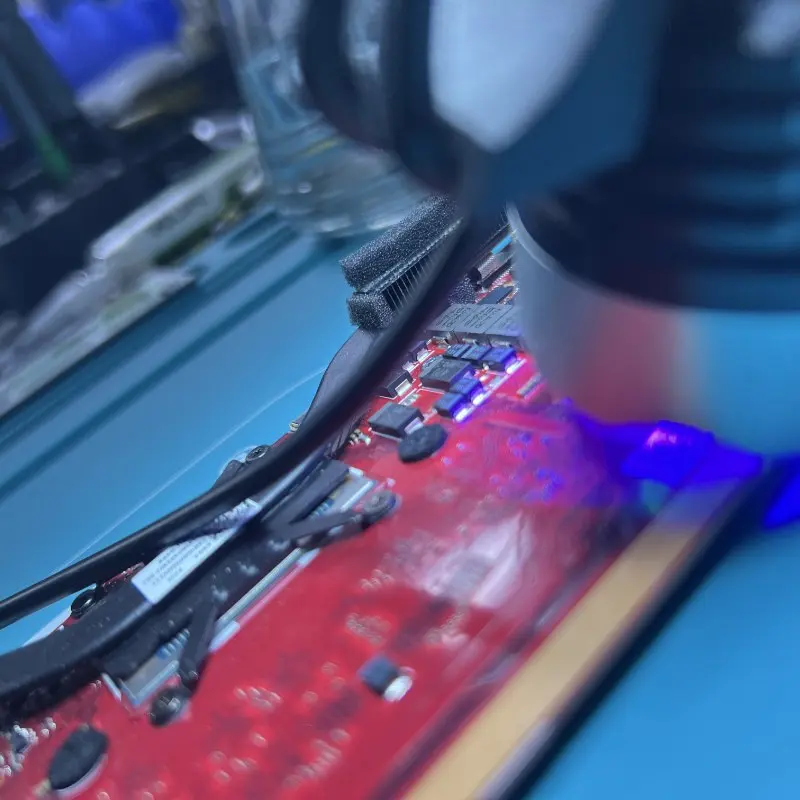
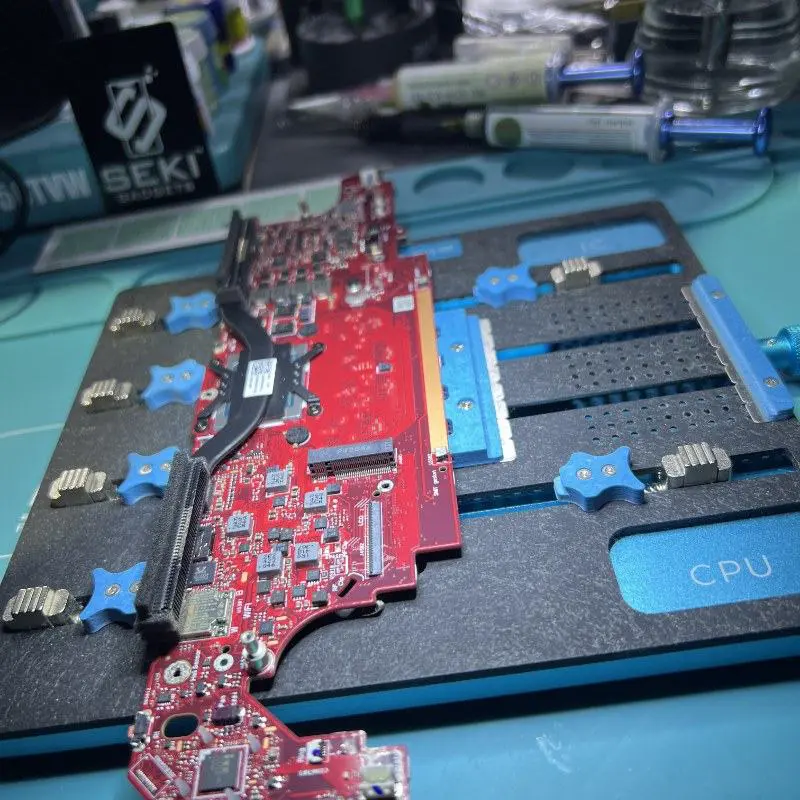
This is where microsoldering is required. Torn traces mean the copper pathways connecting the socket to the motherboard’s charging circuit have pulled away from the board surface, sometimes with surrounding pads. To restore a functional connection, we remove the damaged socket, clean and prepare the area, reconstruct the torn traces, fit a new socket, and reflow it correctly. Precision work like this demands a quality soldering station, the right tools for PCB-level rework, and the experience to operate at this scale without causing further damage.
Preventing the Problem
If your device is currently working and you are reading this out of curiosity or caution, there are a few straightforward things worth knowing.
Only open the device if you have a reason to. Curiosity about the internals is legitimate, but every disassembly is a risk opportunity. If the device is performing normally, leave it closed.
Watch for swelling before it becomes urgent. A battery that is swelling will eventually cause problems. Early signs include the back cover appearing slightly raised or a subtle resistance when pressing the centre of the back panel. If you notice this, have it assessed before the swelling progresses to the point of pressing against the connector.
Use the official charger and cable. The ROG Ally X draws significant power, especially in high-performance modes. Using an undersized or incompatible charger can stress the battery and accelerate its degradation.
If you do attempt a battery swap: slide the locking bar fully back first, then pull the flex straight up. If you feel resistance, stop. Resistance means the bar is not fully back, not that you need more force.
Frequently Asked Questions
What causes a battery connector to rip on the ASUS ROG Ally X?
Almost always, it is force applied to the connector flex before the locking bar has been slid fully back. The locking bar holds the plug captive; if someone tries to pull the flex up without releasing the bar first, they feel resistance and, assuming the cable is stuck, pull harder. That extra force tears the traces from the motherboard rather than freeing the plug. This is a well-documented issue across forums and repair communities, affecting the ROG Ally X and other ASUS gaming handhelds and laptops that use a similar connector design. It is not a one-off mistake; it is the predictable result of force applied to a captive plug by someone unfamiliar with this connector.
Can I repair a ripped ROG Ally X battery connector myself?
It depends on what is damaged. If the connector is simply unseated and both the plug and socket are physically intact, someone with prior experience opening small electronics can reseat it carefully. If the traces have torn from the motherboard, this requires microsoldering and cannot be done without specialist equipment and training. Attempting trace reconstruction without the right setup risks permanent motherboard damage.
Is it safe to keep using my ROG Ally X with a damaged battery connector?
No. If the connector is partially seated or the socket is compromised, the device can experience uncontrolled power loss under load, incorrect charge readings, or in the case of a swelling battery, an escalating safety risk. A device with a ripped battery connector should not be used until it has been assessed and repaired. If the battery is visibly swollen, treat it with additional care and do not leave it unattended while charging.
Will repairing the battery connector void my warranty?
If your ROG Ally X is still within its ASUS manufacturer warranty, any third-party disassembly or repair typically voids that warranty. If the connector was damaged during a manufacturer-covered event, contacting ASUS directly first is worth exploring. If the warranty has expired or was voided by a previous DIY attempt, an independent repairer can assess and repair the device. We are transparent about what we can and cannot guarantee before beginning any work.
Can third-party batteries be used in the ROG Ally X?
We recommend the official ASUS battery to ensure compatibility with the device’s charging circuitry and avoid the potential issues that come with unverified third-party cells. The cable is integrated with the battery on this model, so cable damage means a battery replacement rather than a standalone cable swap. The board-side connector socket is a different matter altogether: it is not sold to consumers, so a socket replacement always comes from a specialist board-rework supplier. We source parts appropriate to the repair required and will discuss options with you before proceeding.
How long does a battery connector repair take at Seki Gadgets?
If the connector is simply unseated or the repair requires only a replacement battery that we have in stock, the job is typically completed within a few business days. If the traces have torn from the motherboard, trace reconstruction is precision microsoldering work and can take several days. We provide a clear estimate after the board has been scoped and keep you informed throughout.
What does it mean when battery connector traces are torn?
When a battery connector is pulled from a motherboard with force, the copper traces, the conductive pathways connecting the connector socket to the board’s charging circuit, can tear away from the PCB surface. This is distinct from a connector that is simply unseated. Torn traces cannot be fixed by reseating the connector. They require microsoldering to reconstruct the copper pathway and restore a functional connection.
Bring Your ROG Ally X to Seki Gadgets
A ripped battery connector on a $1,599+ gaming handheld is frustrating, but it is repairable. The range of outcomes varies from a simple reseat to a microsoldering job, and knowing which path applies to your device requires an honest look at what is actually damaged.
This is a repair we have performed on the ROG Ally X and across ASUS’s broader gaming lineup, including the ROG Flow Z13 and ROG Strix SCAR 15. The connector style is a common ASUS design pattern, and the failure mode is the same on each device. Microsoldering and trace reconstruction are flagship services at Seki Gadgets, and we treat each job with the level of care a $1,599+ handheld deserves. Our microsoldering work is backed by our lifetime warranty.
Backed by 400+ five-star Google reviews, we are Canberra’s specialists in microsoldering and trace reconstruction, the kind of surgical precision work that most other shops are not equipped to perform.
Turnaround depends on which scenario applies. A simple reseat is the fastest path. A battery replacement depends on parts availability. Trace reconstruction is precision board-level work and can take several days to complete. We will give you a clear timeline once the board has been under the microscope.
If you are in Canberra, you can bring the device directly to our Franklin workshop. If you are elsewhere in Australia, we offer mail-in repairs for microsoldering work. You can also read more about our game console repair services in Canberra for context on the broader range of gaming hardware we work on.
Book your appointment or request a quote through our website. Final pricing for trace reconstruction is given after the board has been under the microscope.