Is your PS5 overheating, running loud, or showing warning messages? Before you grab a screwdriver and search YouTube for tutorials, there’s something every Canberra PS5 owner should know: approximately 35% of DIY console repairs create additional damage that costs $175 to $300 to professionally repair, on top of the original problem you were trying to fix.
At our Franklin workshop, we repair these DIY attempts weekly. The pattern is always the same: well-meaning gamers follow online tutorials, encounter unexpected complications, and inadvertently damage delicate internal components that weren’t even part of the original problem.
This comprehensive guide explains exactly what goes wrong during DIY PS5 repairs, the real costs involved, and when professional service actually saves you money.
The PS5 Isn’t Built Like a Gaming PC
Many gamers assume console repairs mirror PC building: modular, forgiving, and beginner-friendly. The PlayStation 5 shattered that assumption.
Unlike PCs with their spacious cases and plug-and-play components, the PS5 uses a dense sandwich-style assembly where every millimetre matters. Internal components are packed tightly together, secured with delicate ribbon cables and microscopic connectors that require precision handling and magnification to work with safely.
Even straightforward tasks like cleaning internal dust involve navigating around:
- Self-locking connectors with invisible release mechanisms
- Ultra-fine coaxial cables that tear with slight tension
- Electrically conductive liquid metal thermal compound
- Surface-mounted components smaller than grains of rice
- Multiple screw types requiring specific torque specifications
Professional repair requires microsoldering skills, ESD protection equipment, and magnification tools, not just enthusiasm and YouTube tutorials.
The Most Common DIY PS5 Disasters (And What They Cost to Repair)
Torn Fan Connectors: Up to $250 to Repair
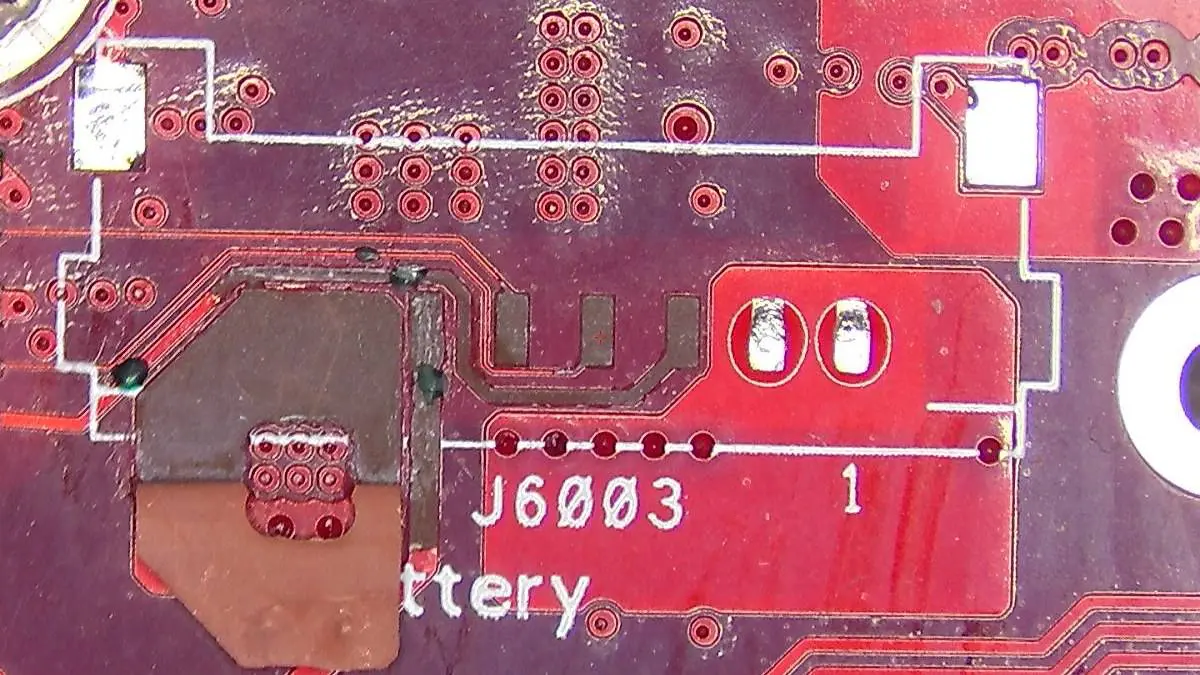
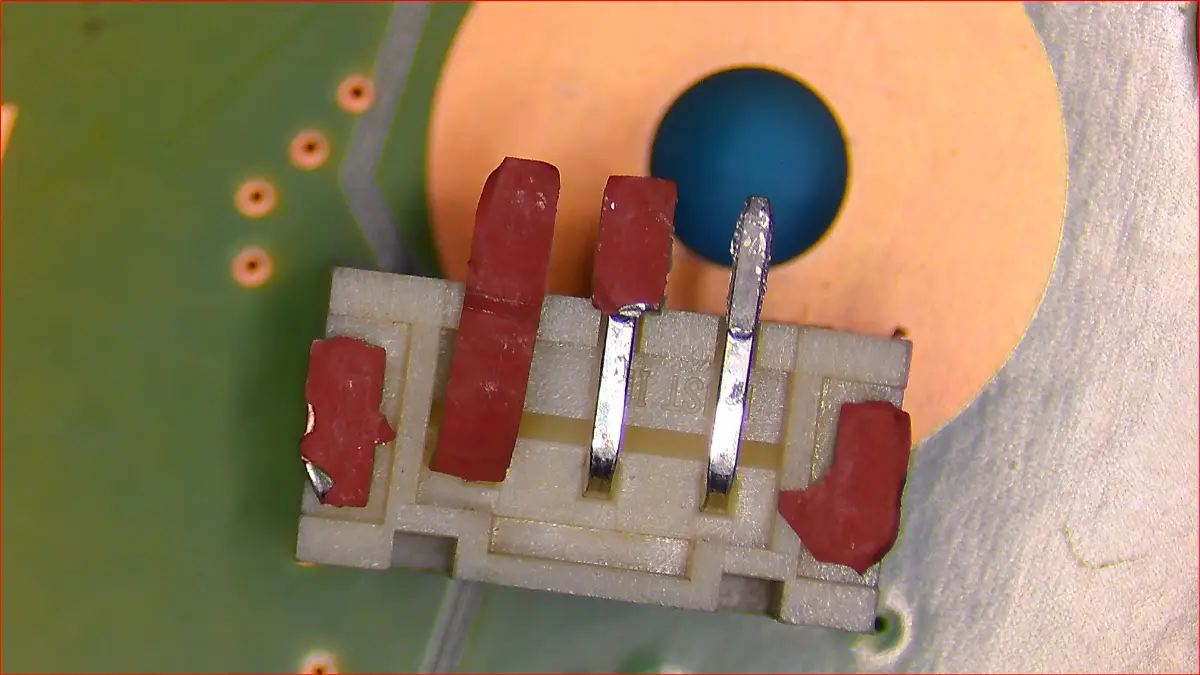
What causes this damage: The PS5 fan connector uses a self-locking mechanism that’s both invisible and fragile. During “simple cleaning,” many DIY attempts pull the connector straight up or use pliers to yank it free without releasing the tiny self-locking tab first.
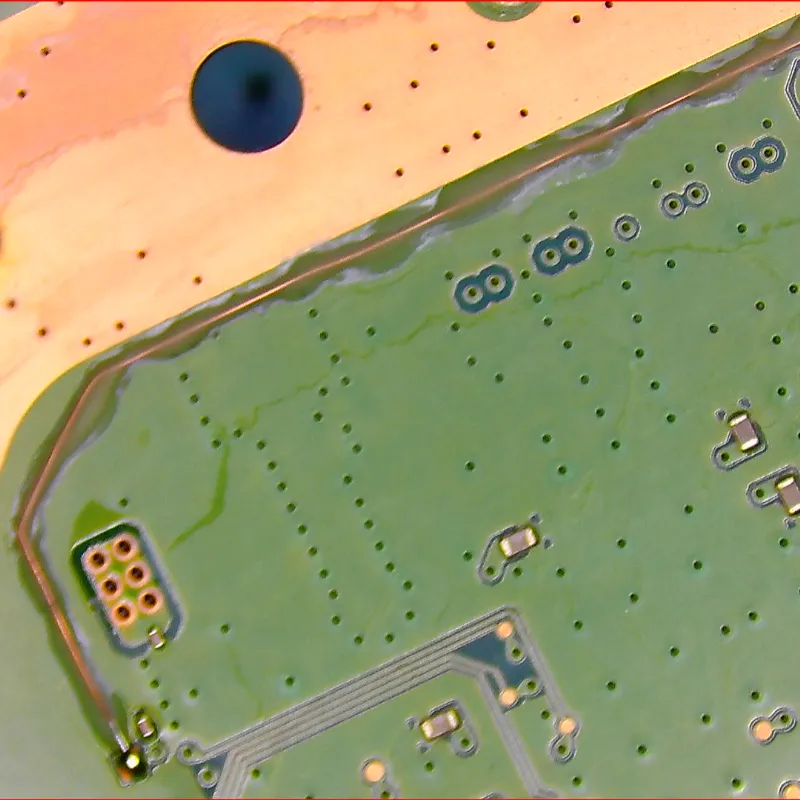
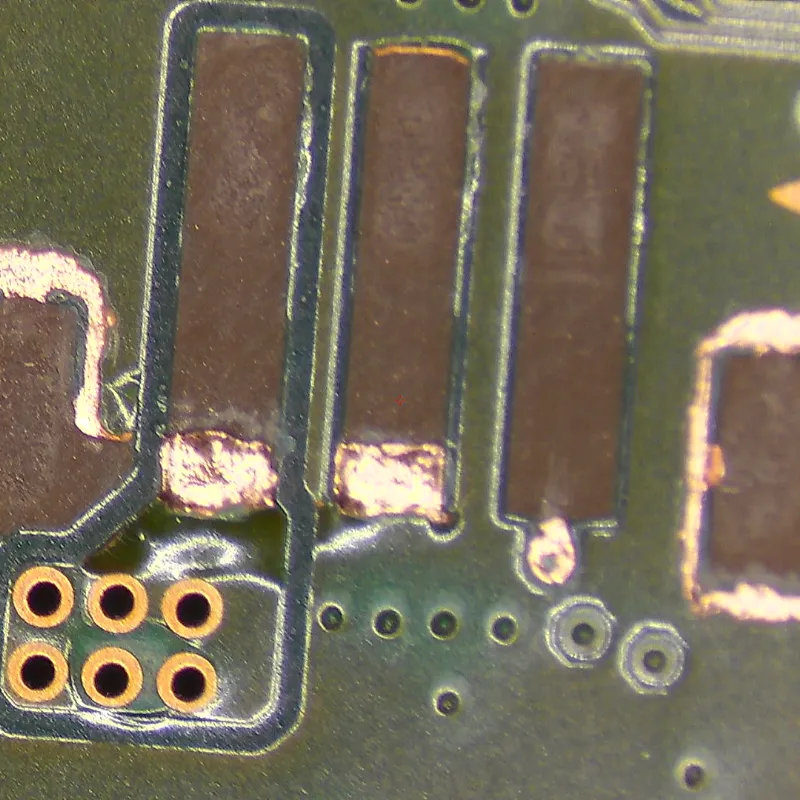
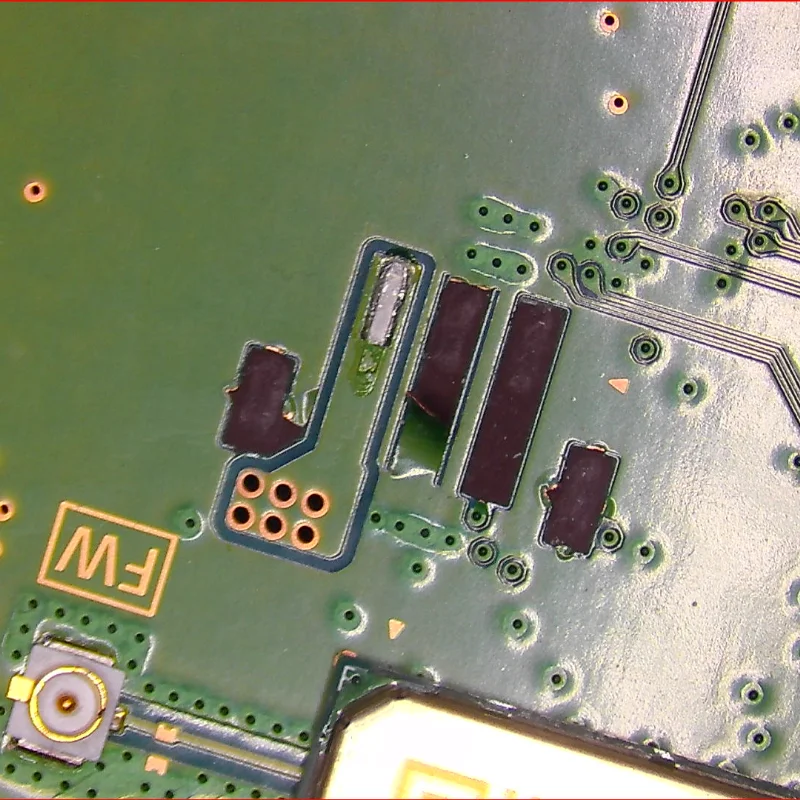
Instead of the plug disconnecting cleanly, the entire female socket rips off the motherboard, tearing the solder pads and electrical traces with it.
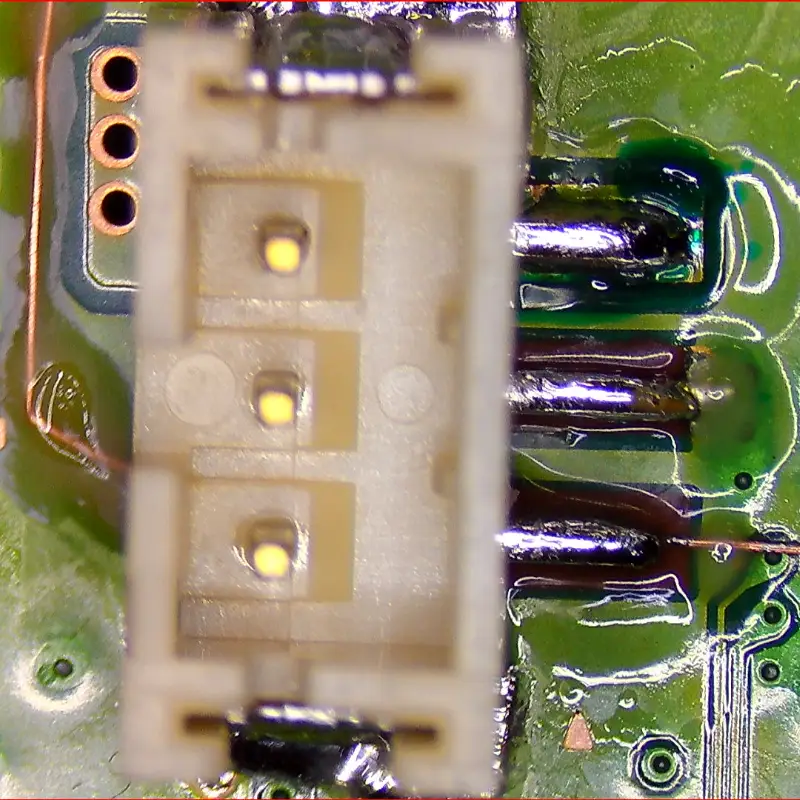
What happens to your console: Your fan won’t spin at all. The PS5 boots normally but overheats within minutes, triggering automatic shutdown. Because the connection points are destroyed, simply re-soldering won’t work. Technicians must run microscopic jumper wires to alternative connection points on the motherboard.
Professional repair cost: within our $175 to $250 fan and cooling range, usually at the top of it once connector replacement and trace reconstruction are needed. This repair requires microscope work and typically takes 2-3 hours of precision soldering.
Liquid Metal Contamination: The Most Expensive Mistake
Why this is different from thermal paste: Unlike the PS4’s standard thermal paste, the PS5 uses liquid metal (Gallium-Indium-Tin alloy) between the processor and heatsink. This material offers superior heat transfer but creates unique risks because it’s electrically conductive and behaves like mercury.
What causes this damage: DIY repairs often disturb the liquid metal in three ways:
- Opening the APU clamp to “re-paste” the console, causing spillage onto surrounding components
- Wiping away the silvery substance thinking it’s “old thermal paste”
- Accidentally displacing it during cleaning, requiring professional realignment
Without the specialised containment dam and proper handling technique, liquid metal spills onto surface-mounted capacitors around the main processor, creating immediate short circuits when powered on.
What happens to your console:
- Best case: Oxidation buildup reduces thermal performance, causing overheating despite “clean” internals
- Worst case: Immediate short circuit that kills the APU (main processor) permanently
Professional repair cost:
- Cleanup and re-sealing (no short occurred): $175 to $250
- Motherboard repair (shorted but APU survived): $250 to $300
- APU damage: Often unrepairable (BER: Beyond Economical Repair)
Important: If liquid metal touches the APU die contacts directly, the console may be permanently damaged. The APU is “married” to the motherboard through cryptographic pairing and cannot be replaced independently.
HDMI Port Replacement Failures: The $195 to $250 Repair
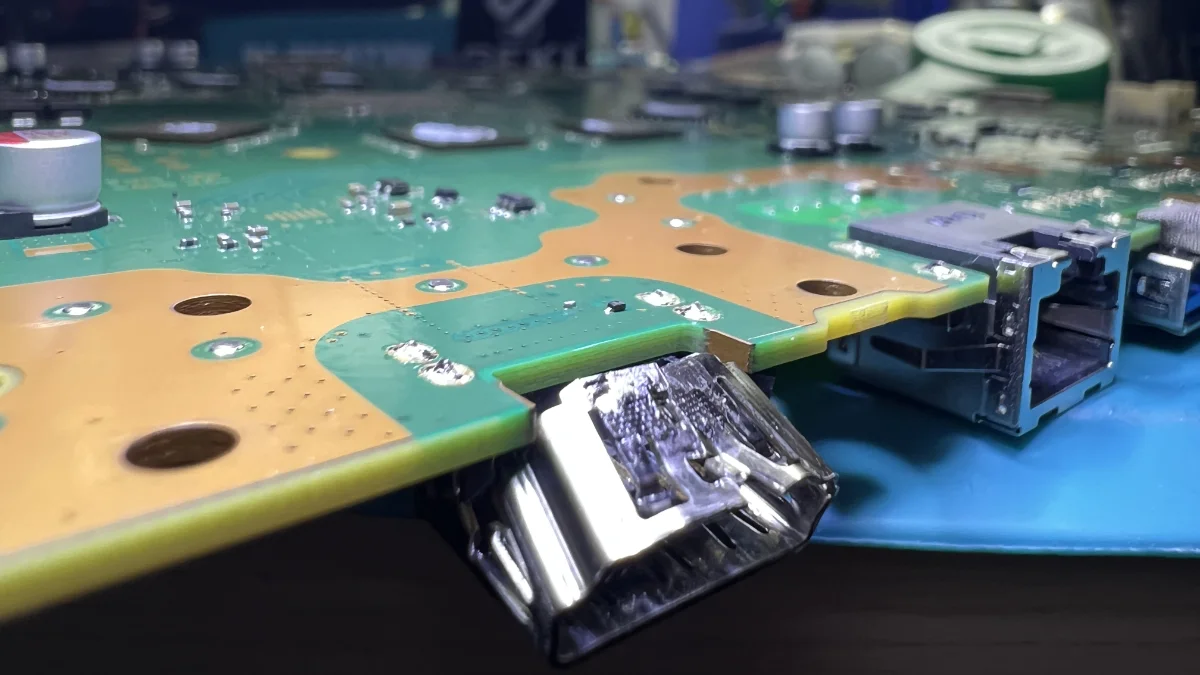
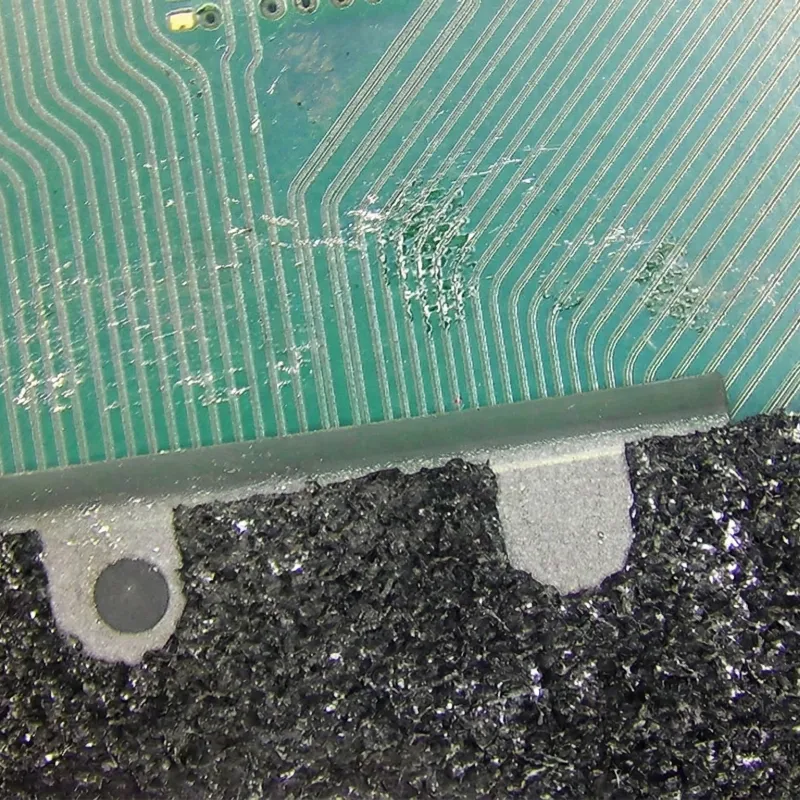
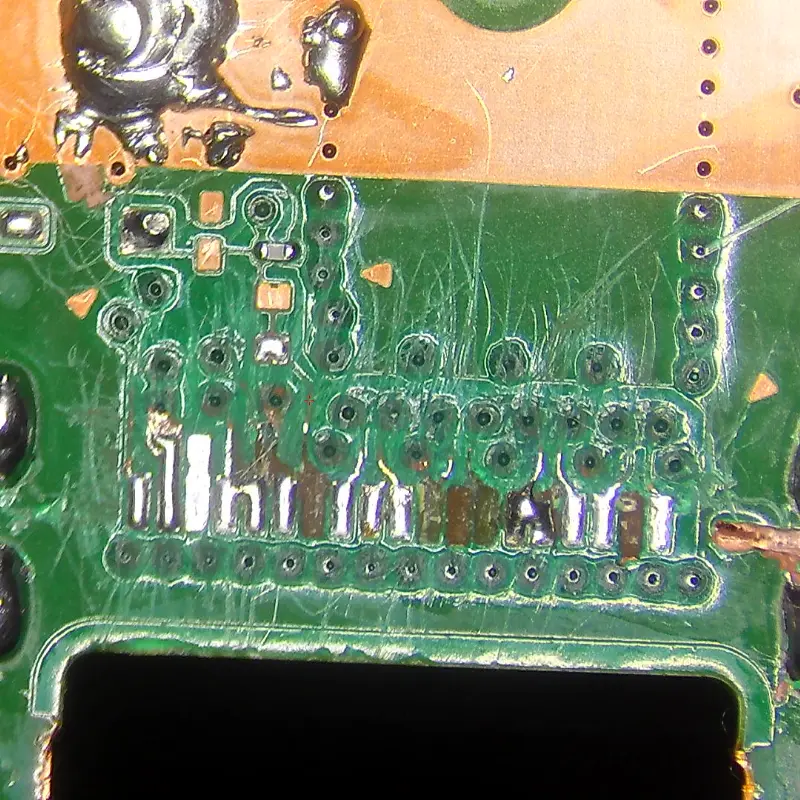
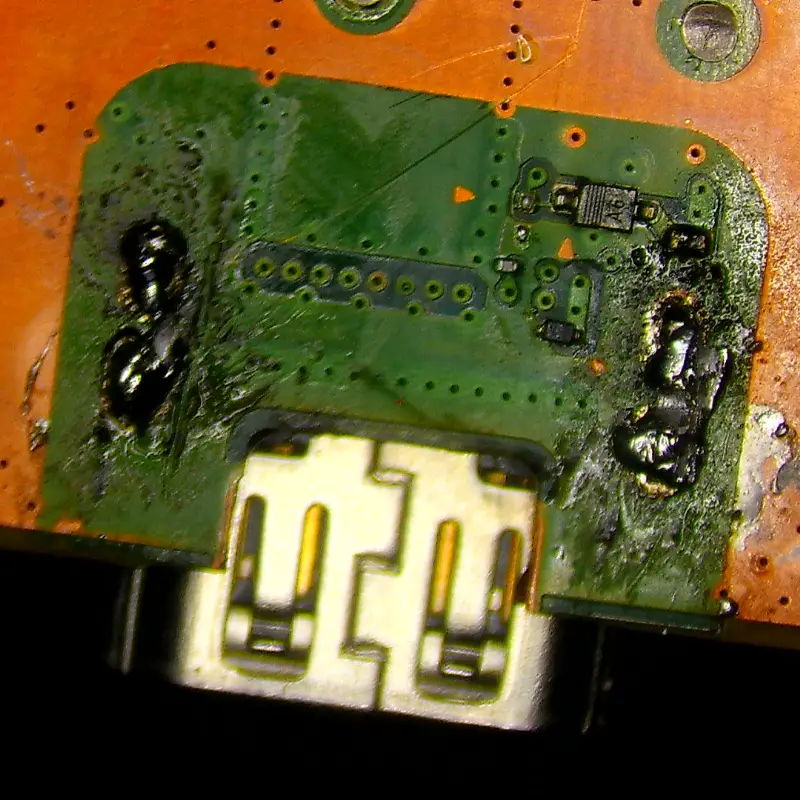
What causes this damage: The PS5’s HDMI port requires precise microsoldering technique. DIY attempts using consumer-grade heat guns without proper nozzle control or board pre-heating create three critical problems:
- Ripped pads: Pulling the port out before lead-free solder fully melts tears copper pads off the motherboard
- Knocked-off components: The HDMI port is surrounded by 0201-sized capacitors and diodes (smaller than grains of rice) that are easily dislodged
- Bridge pins: Excessive solder or insufficient flux creates shorts between the 19 tiny pins
What happens to your console: The console powers on (white light indicator) but displays no image. In severe cases, a shorted HDMI port can damage the Panasonic HDMI Encoder chip, escalating repair complexity significantly.
Professional repair cost:
- Standard port replacement: the lower end of our $195 to $250 range
- Trace reconstruction and port replacement: towards the top of that range
- Encoder chip replacement (if shorted): the top of the range ($250)
WiFi Antenna Connector Damage: The Precision Repair
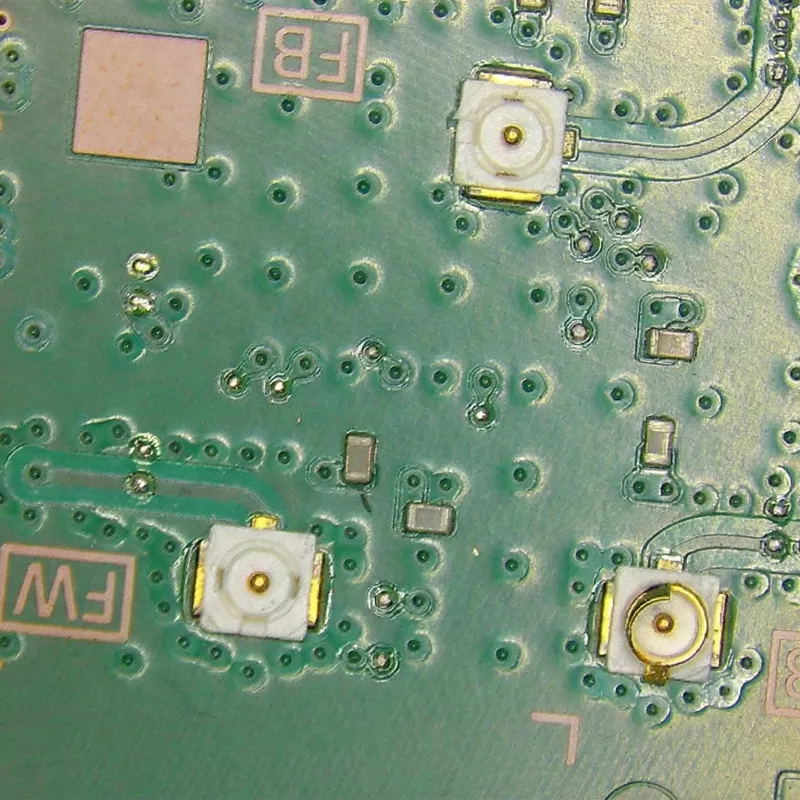
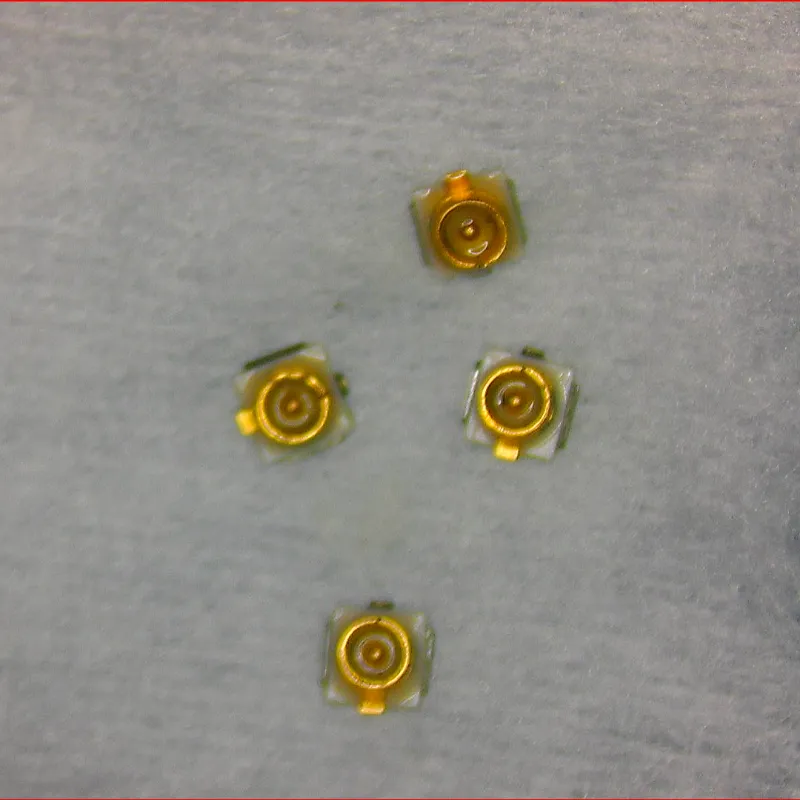
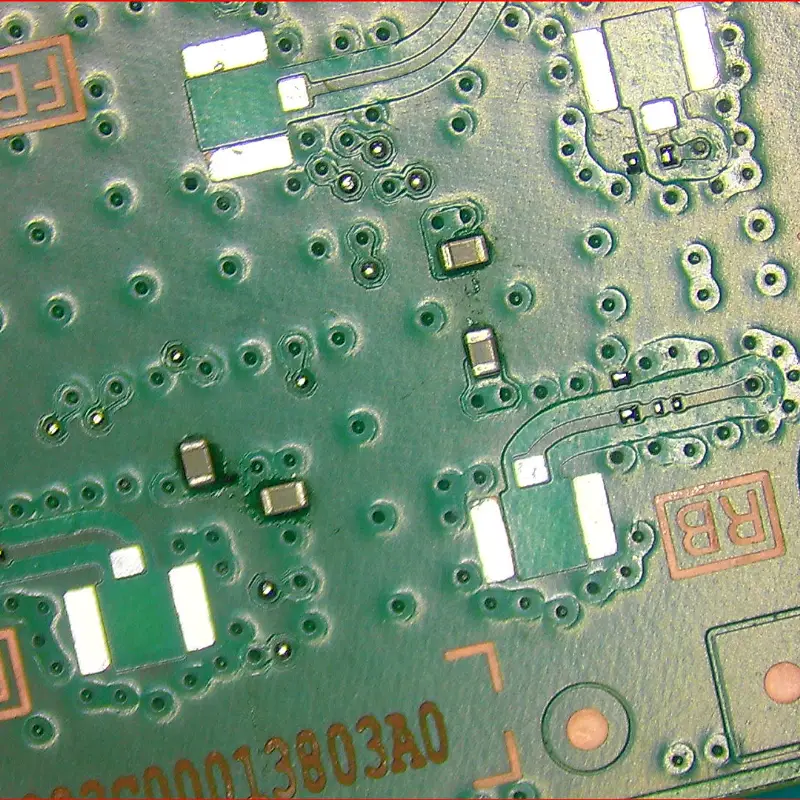
What causes this damage: The PS5 uses U.FL connectors for WiFi and Bluetooth antennas (tiny circular snap-on plugs that require specific removal technique). DIY attempts using flathead screwdrivers or fingernails from incorrect angles snap off the outer ring or rip the entire connector from the board.
What happens to your console: Extremely weak or non-existent WiFi connection. Controllers frequently disconnect because they rely on Bluetooth through these same antennas. Online gaming becomes impossible or frustratingly unreliable.
Professional repair cost: quoted in writing after the diagnostic assessment. The work is microsoldering a component smaller than a grain of rice, requiring microscope magnification and steady-hand precision.
Ribbon Cable Latch Breakage: The Optical Drive Fix
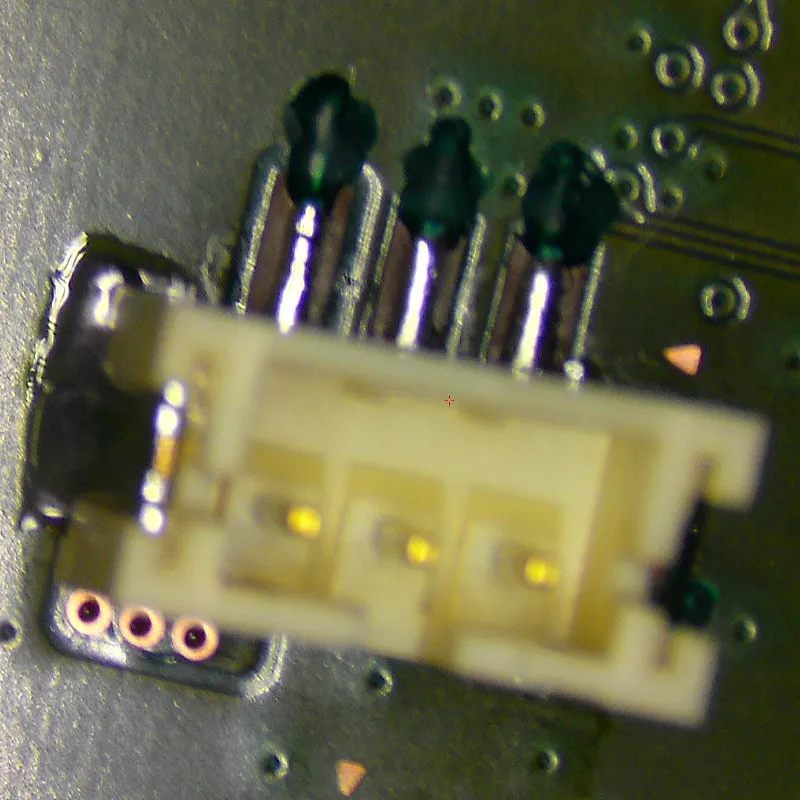
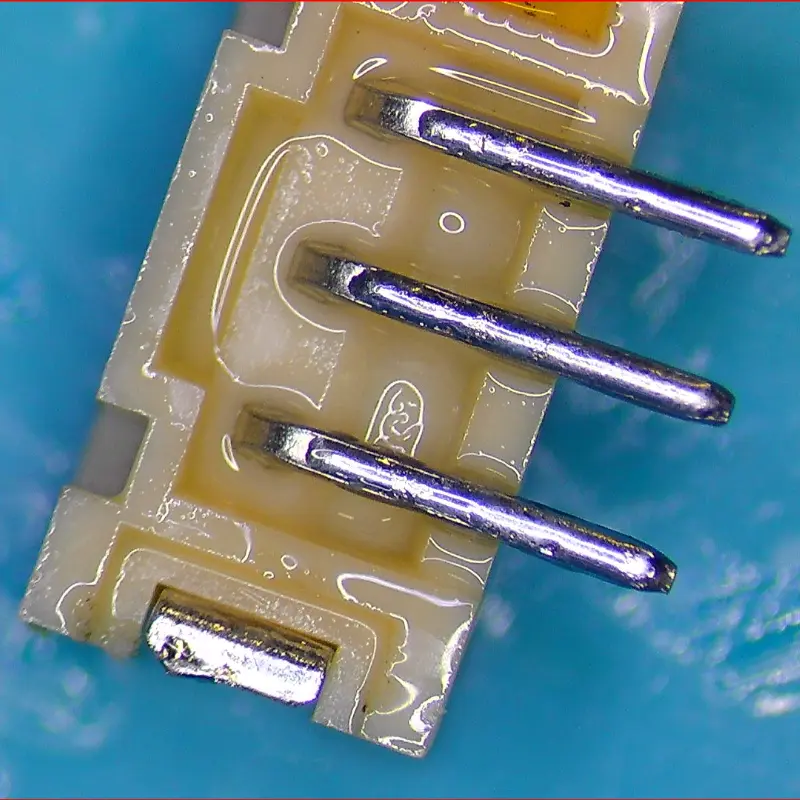
What causes this damage: The PS5 uses ZIF (Zero Insertion Force) connectors for the optical drive. DIY repairs often jam the ribbon cable back in without opening the latch, or pull too hard and snap the plastic flap completely off.
What happens to your console:
- Blu-ray drive becomes unresponsive (won’t accept discs)
- Without the latch, the cable makes no pressure contact with the pins
Professional repair cost: $190 to $250 (our disc drive range). The plastic latch cannot be replaced independently. The entire connector must be desoldered and replaced, requiring precision board-level work.
Common PS5 DIY Repair Failures: Quick Reference
| Component Failure | Share of DIY Damage Cases | Repair Cost | Repair Complexity |
|---|---|---|---|
| Fan Connector | High (20%) | $175 to $250 | Trace rebuilding required |
| Liquid Metal Spill | Medium (15%) | $175 to $300 | Can kill console permanently |
| HDMI Port | Medium (12%) | $195 to $250 | Trace reconstruction + encoder risk |
| WiFi Connector | Low (8%) | Quoted after diagnosis | Microscope precision soldering |
| Ribbon Cable Connector | Low (10%) | $190 to $250 | Connector replacement required |
Understanding Liquid Metal: Not Your Typical Thermal Paste
The single most misunderstood aspect of PS5 maintenance is the liquid metal thermal interface material between the processor and heatsink. This gallium-based alloy offers exceptional heat transfer but demands respect and expertise.
Why Liquid Metal Requires Professional Handling
Electrical conductivity: Unlike silicone-based thermal paste, liquid metal conducts electricity. A single drop on capacitors, resistors, or other components creates permanent short circuits.
Mercury-like consistency: This material spreads unpredictably if disturbed. Standard cleaning methods don’t work. Isopropyl alcohol won’t remove it properly, and improper handling spreads contamination.
Oxidation over time: Gallium alloys oxidise through normal use, forming a dull grey coating that reduces thermal transfer efficiency. Professional removal and realignment restore optimal performance.
Common Liquid Metal Issues We See Weekly
At our Franklin workshop, liquid metal problems appear in multiple forms:
- Complete removal thinking it’s “old thermal paste,” causing immediate thermal failure
- Accidental displacement during cleaning, requiring professional realignment
- Unrecognised oxidation buildup degrading thermal performance
- Contamination with dust or debris during DIY attempts
- Spillage onto surrounding components creating short circuits
Professional liquid metal service includes complete oxidation removal, precise realignment, surface inspection under magnification, and extended thermal testing to verify normal operation, all included in our standard cleaning service.
What You Can Safely Maintain Yourself
Not all PS5 maintenance requires professional service. External care is completely safe and extends time between professional interventions.
Safe Monthly Maintenance (5 Minutes)
External vent cleaning: Use compressed air in short bursts, holding the can 5-10cm from vents and keeping it upright to prevent liquid propellant spray.
Surface cleaning: Wipe exterior panels with a slightly damp (not soaking wet) microfibre cloth. Never spray cleaning solution directly on the console.
Proper ventilation: Maintain 150mm clearance around all vents. Keep the console on a hard, flat surface, never on carpet that blocks airflow.
Environmental control: Keep room temperature below 28°C during gaming sessions. Excessive ambient temperature forces the console to work harder.
These simple steps extend professional service intervals from 12 months to 18 months for moderate users, saving you money through preventative maintenance.
Warning Signs You Need Professional Service
External cleaning cannot resolve these symptoms, which indicate internal issues:
- Fan constantly at maximum speed despite external cleaning (indicates internal dust buildup on heatsink fins)
- Overheating warnings during normal gameplay, not just graphically demanding titles
- Console feels excessively hot to touch during or immediately after use
- Unusual mechanical noises such as grinding, clicking, or rattling from the fan
- Performance degradation including lagging, increased loading times, or unexpected shutdowns
These symptoms suggest dust accumulation on heatsink fins, liquid metal oxidation or displacement, thermal pad degradation, or fan bearing wear (none of which external cleaning can address).
The Real Cost Analysis: DIY vs Professional Service
Let’s examine actual costs with damage probability based on our repair data from hundreds of PS5 repairs:
DIY vs Professional: Complete Cost Comparison
| Factor | DIY Internal Cleaning | Professional Service |
|---|---|---|
| Upfront Cost | $0 (tools assumed) | $175 to $250 |
| Time Investment | 4-8 hours | 10 minutes |
| Damage Risk | 35% probability | 0% |
| Expected Repair Costs | $61-$105 (probabilistic) | $0 |
| Time Value (at $15/hr) | $60-$120 | $2.50 |
| Warranty Coverage | None | 12 months on the service; lifetime on any parts we fit |
| Stress Level | High | Zero |
| Total Expected Cost | $121-$225 | $175 to $250 |
On expected cost alone, the two options sit close together. The difference is risk: professional service removes the 35% chance of a $175 to $300 repair bill or a console that cannot be saved, comes with a warranty, and costs you ten minutes instead of a weekend.
What Professional PS5 Cleaning Actually Involves
Our comprehensive PS5 cleaning and thermal optimisation service delivers thorough care your console deserves:
Complete Disassembly with ESD Protection
Grounded workspace and wrist straps prevent static discharge that causes invisible component failure. Every console is handled in a controlled environment designed specifically for sensitive electronics.
Expert Connector Handling
We’ve completed several hundred services with zero connector damage through proper technique, magnification, and specialised tools. Every connector receives visual inspection before and after service.
Thorough Internal Cleaning
Fan blades, heatsink fins, power supply vents, and all internal chambers receive complete dust removal. We don’t just clean what’s visible. We clean what matters for thermal performance.
Liquid Metal Inspection and Maintenance
Oxidation removal from APU surface, precise realignment for optimal thermal contact, and measured application if replacement is needed. All liquid metal work includes microscope verification.
Thermal Pad Assessment
Compression check and replacement if degraded. Quality thermal pads maintain consistent contact pressure and thermal transfer efficiency.
Quality Reassembly
Proper cable routing, correct screw placement with appropriate torque, and fan bearing lubrication check ensure your console reassembles better than it left the factory.
Comprehensive Testing
Extended thermal stress testing, temperature monitoring across multiple gaming scenarios, and fan operation verification at various speeds confirm everything works perfectly before return.
Turnaround time: 1-3 days for most services. Your PS5 receives the attention it deserves without rushing.
12-month warranty on the service: If our service causes any issues within 12 months, we repair it at no charge. Any replacement parts we fit, such as a new fan, carry our lifetime warranty.
Real Customer Outcomes from Canberra
Anthony attempted DIY cleaning after watching tutorials: “So, my ps5 kept shutting off only when I was playing, this was due to overheating. So me being the genius I am, decided to pull apart my playstation to try and fix it myself. Well, as you can see I’m writing a 5star review for Seki gadgets because my adventures didn’t go as planned. Shaun gave me a full run down of what all issues were that caused the overheating and also showed me what i did wrong (don’t pull the fan plug out, unless you know what your doing) I will be sure to be using seki gadgets from now on for all my issues in regards to hardware. Thanks Shaun ya legend!”
Making the Right Decision for Your PS5
We understand the appeal of DIY console maintenance. YouTube tutorials make it look straightforward, and saving $175 or more initially seems financially sensible. We never judge customers who attempt DIY first. The desire to care for your own equipment is admirable.
But the reality we see weekly at our Franklin based workshop tells a consistent story: torn fan connectors, damaged coaxial cables, liquid metal contamination, improper reassembly causing persistent overheating, and $175 to $300 repair bills that all started from “simple cleaning.”
Your PS5 isn’t just a $600 console. It’s your connection to gaming experiences you love, social time with friends online, and entertainment that helps you unwind after a hard day at work. It deserves professional care from technicians with proper training, equipment, and hands on experience.
When to Choose Professional Service
Consider professional service if any of these apply:
- First time opening a gaming console
- No ESD protection equipment (grounded wrist strap, anti-static mat)
- Unfamiliar with liquid metal thermal interfaces and their unique properties
- No magnification available for connector inspection (microscope or quality magnifying glass)
- Cannot afford $175 to $300 if damage occurs during DIY attempt
- Console still under manufacturer warranty (opening voids warranty immediately)
- Any hesitation or uncertainty whatsoever about the process
Based on our customer data, fewer than 5% of readers meet all requirements for safe DIY service.
When DIY Might Be Appropriate
You might consider DIY only if all of these apply:
- Previous successful console disassembly experience with modern systems
- Proper ESD protection equipment owned, set up, and verified functional
- Magnification tools available (microscope or professional-quality magnifying glass)
- Thorough understanding of liquid metal versus thermal paste properties and handling
- Comfortable with delicate ribbon cable connectors and ZIF mechanisms
- Financially able to absorb $175 to $300 if damage occurs
- 6+ hours available for careful, methodical work without interruption
- Not time-sensitive (can wait days if complications arise)
If you’re missing even one of these requirements, professional service eliminates the risk for a similar expected cost.
Book Your Professional PS5 Service in Canberra
Comprehensive PS5 Cleaning & Thermal Optimisation: $175 to $250
| Service Details | What’s Included |
|---|---|
| Price | $175 to $250 depending on your console’s condition, confirmed in writing before any work starts (no hidden fees) |
| Disassembly | Complete with ESD protection |
| Cleaning | Fan, heatsink, power supply, all internal chambers, ports, chassis, and external covers |
| Liquid Metal Service | Inspection, oxidation removal, realignment or replacement if needed |
| Thermal Pads | Assessment and replacement if needed |
| Reassembly | Proper cable routing, correct screw torque |
| Testing | Comprehensive thermal stress and performance verification |
| Warranty | 12 months on the service; lifetime on any replacement parts fitted |
| Turnaround Time | 1-3 days for most services |
| Your Time | 10 minutes total (drop-off and pickup) |
Service area: Convenient Franklin workshop serving Gungahlin, Belconnen, Civic, and all Canberra suburbs
Frequently Asked Questions
How often does a PS5 need professional cleaning?
A PS5 needs professional cleaning every 8 to 12 months for heavy use, or every 12 to 18 months for medium to light use. Dusty rooms, pets and closed cabinets bring the service forward. Servicing on schedule typically costs less than the board-level repairs that sustained heat can lead to, and our PS5 overheating and cooling service is $175 to $250, depending on model and fault.
Will opening my PS5 void the warranty?
Yes, opening your PS5 yourself immediately voids Sony’s manufacturer warranty. If your console is still under warranty and experiencing issues, contact Sony first. Once the warranty expires, professional third-party service offers better value and faster turnaround than manufacturer options.
Can I just replace the liquid metal with regular thermal paste?
Technically possible but strongly discouraged. The PS5’s thermal solution was engineered specifically around liquid metal’s superior thermal conductivity. Standard thermal paste creates higher operating temperatures, potentially triggering thermal throttling and reducing console lifespan. Professional liquid metal maintenance is the correct solution.
What if I’ve already damaged my PS5 during DIY cleaning?
Stop immediately and don’t power it on again, especially if liquid metal is involved. Do not attempt to glue connectors back on. Superglue is an insulator and will ruin contact points, often doubling repair costs or making repair impossible. Bring it to our Franklin workshop for professional assessment and repair. We repair DIY attempts weekly without judgment.
How do I know if my PS5 needs professional cleaning?
Common indicators include: fan constantly running at maximum speed, overheating warnings during normal gameplay, console feeling excessively hot to touch, unusual mechanical noises from the fan, or performance issues like lagging and unexpected shutdowns. If you’re experiencing any of these symptoms after external cleaning, internal service is needed.
Do you offer same-day PS5 cleaning service?
Our standard turnaround is 1-3 days to ensure thorough work without rushing. However, we can sometimes accommodate urgent requests depending on current workload. Contact us to discuss your specific timeline needs.
What is the most expensive mistake when cleaning a PS5 yourself?
Getting liquid metal onto the board is the most expensive DIY mistake we see. Liquid metal conducts electricity, so a stray drop can short the tiny components around the processor, and the job turns from a routine clean into board-level microsoldering. Torn fan connectors and bent ribbon latches cost less but still add up. At Seki Gadgets in Canberra, we assess your console and send a written quote before any work starts.
PS5 Service Comparison: At-a-Glance
| Service Provider | Cost | Turnaround | Warranty | Convenience |
|---|---|---|---|---|
| Seki Gadgets (Local) | $175 to $250 | 1-3 days | 12 months (service) | By appointment, Franklin |
| National Mail-In Services | $150-$250 | 7-14 days | 6-12 months | Shipping required |
| Sony Official Service | $300-$400 | 3-4 weeks | 90 days | Mail-in only |
| DIY (Expected Cost) | $121-$225 | 4-8 hours | None | High stress, 35% risk |
Final Thoughts: Protect Your Gaming Investment
Professional PS5 cleaning isn’t an expense. It’s preventative maintenance that extends console lifespan, maintains optimal performance, prevents costly damage repairs, includes 12-month warranty protection, saves your valuable time, and eliminates stress and risk.
At $175 to $250 every 8 to 12 months for heavy use, or every 12 to 18 months for medium to light use, that’s roughly $10 to $31 per month for peace of mind that your console receives expert care from certified technicians using proper equipment, ESD protection, and proven methodologies developed through hundreds of successful repairs.
The choice is yours: risk $175 to $300 in damage repairs attempting DIY with inadequate equipment and experience, or invest $175 to $250 in professional service with a 12-month warranty and zero risk.
We’re here regardless of which path you choose. If you attempt DIY and encounter problems, we’ll repair the damage professionally without any judgment. If you choose professional service from the start, we’ll ensure your PS5 runs cooler, quieter, and more reliably for years to come. We also offer Xbox overheating and cooling service and Nintendo Switch fan repair.
Ready for professional PS5 cleaning in Canberra? Book your service today through our online booking system. No obligation (just honest evaluation and transparent pricing from Canberra’s trusted independent electronics repair specialists since 2020).