To fix PS5 controller stick drift, work through six proven solutions in order: reset the controller, clean around the analog sticks, update the firmware, adjust in-game deadzone settings, re-pair the Bluetooth connection, and if drift persists, have the analog stick modules professionally replaced. Minor drift usually responds to the first five steps at home. Persistent drift means the stick hardware itself is worn, and at Seki Gadgets in Canberra we repair DualSense stick drift at the component level, including a drift-free GuliKit TMR joystick conversion for $125 backed by a lifetime workmanship warranty.
This guide was reviewed and is current as at October 2026.
There’s nothing more frustrating than experiencing stick drift in your PS5 controller during an intense gaming session. If you’ve noticed your character moving on its own or your cursor drifting without touching the analog stick, you’re dealing with a common issue that affects many DualSense controllers. The good news is that your gaming experience doesn’t have to be compromised by this annoying problem.
With the right approach and troubleshooting steps, you can potentially resolve stick drift issues and get back to enjoying your favourite games. At Seki Gadgets in Canberra, our certified technicians specialise in PS5 controller repairs, including microsoldering-level TMR joystick conversions with a lifetime warranty on the TMR sticks, genuine parts and microsoldering workmanship.
Quick Fix Guide
If you need immediate solutions, try these quick fixes first:
- Reset your controller using the small button on the back
- Clean around analog sticks with compressed air and a microfiber cloth
- Update controller firmware through PS5 Settings > Accessories
- Adjust in-game deadzone settings to compensate for minor drift
- Re-pair your controller by resetting Bluetooth connections
For more persistent issues, continue reading the full guide below.
Key Takeaways
- The most common causes of stick drift are physical damage, wear and tear, debris buildup, and outdated software
- Adjusting input threshold in game settings can help minimise drift effects
- Regular cleaning of analog sticks with a soft, dry microfiber cloth can prevent and resolve drift issues
- Keeping both controller firmware and console software up-to-date is important for optimal performance
- Resetting Bluetooth connection and controller synchronisation can often resolve drift problems
- Persistent drift is hardware wear, and a GuliKit TMR joystick conversion removes the contact wear behind the drift
Understanding PS5 Controller Stick Drift
PS5 stick drift is when a DualSense controller registers stick movement with no physical input, usually because the potentiometers that read the stick’s position have worn or collected dust. The fault is well documented: iFixit’s teardown of the original DualSense found stick sensors made by Alps Alpine, which the manufacturer rates for about 2,000,000 cycles, and drift was widespread enough that Sony faced a US class action over it in February 2021. Your gaming experience can be significantly impacted when your character moves on screen despite your analog stick being in a neutral position.
What Causes Stick Drift
Stick drift typically results from wear and tear on the potentiometers, the components that measure analog stick movement. Your controller’s internal sensors can become less accurate over time due to dust accumulation, physical damage, or regular use. The problem often develops gradually, starting with minor inconsistencies in movement detection before becoming more pronounced.
Common Symptoms
Clearly identifiable signs of stick drift include:
- Unexpected character movement
- Camera rotation without input
- Difficulty maintaining precise aim in games
- Character walking in a particular direction despite not touching the stick
- Challenges maintaining a stationary position in-game
To better identify stick drift, test your controller in the PS5’s controller settings menu, where you’ll see the input readings from your analog sticks. If the values aren’t returning to zero when the stick is centred, you’re likely experiencing drift.
Impact on Gaming Experience
Drift issues can transform your gaming sessions from enjoyable to frustrating experiences. Your ability to perform precise movements in racing games, maintain steady aim in shooters, or control character movement in platformers becomes compromised, potentially affecting your gaming performance and competitive play.
In fast-paced games, even minor drift can lead to missed shots or incorrect movements, while in slower-paced games, you might find yourself constantly fighting against unwanted character movement.
Initial Diagnostics
Before attempting any fixes for your PS5 controller stick drift, perform these basic diagnostic steps to understand the exact nature of the problem and determine the most effective solution path.
Testing for Stick Drift
- Navigate to Settings > Accessories > Controllers on your PS5
- Look at the input display while keeping the analog sticks untouched
- Any movement showing on screen while the sticks are at rest indicates drift
- Test both analog sticks by slowly rotating them through their full range of motion
- Check for inconsistent or unwanted movements during testing
Determining Severity
Drift issues range from minor inconveniences to major gameplay disruptions. The severity level will help you decide whether to attempt DIY fixes or seek professional repair services.
A good way to measure severity is by observing how much unwanted movement occurs when the stick is in its neutral position. If the drift causes constant character movement or camera rotation without any input, you’re dealing with a severe case that might require immediate attention.
Identifying Affected Axes
Determine which directional axes are affected by the drift by moving each analog stick slowly in all directions. Observe if drift occurs more prominently in certain directions (X-axis for left/right movement, Y-axis for up/down movement, or both). This information will be valuable when proceeding with cleaning or repair attempts.
Software Solutions
Not all stick drift issues require hardware intervention. Before opening your controller or considering a replacement, explore these software-based solutions that could potentially resolve your DualSense controller drift problems.
Adjusting Input Threshold Settings
Threshold adjustments can significantly improve your controller’s performance when dealing with minor drift issues. Access these settings through individual game menus, where you’ll find options to modify dead zones and input sensitivity. By increasing the dead zone slightly, you can prevent the controller from registering unwanted minimal movements that occur during stick drift.
Controller Calibration Methods
For optimal performance, utilise the PS5’s settings to help with controller responsiveness:
- Access controller settings through your console’s main menu
- Navigate to Settings > Accessories > Controllers
- Check for any calibration options available
- Follow on-screen instructions to properly configure your analog sticks
Settings for controller adjustment can be found in the Accessories menu of your PS5. During this process, you might need to move your analog sticks in specific patterns and positions to help the system better understand their range of motion and centre points.
Software Update Procedures
For the best gaming experience, regularly check for controller firmware updates:
- Connect your controller to the PS5 via USB cable
- Navigate to Settings > Accessories > Controllers
- Check for available updates and install if available
Many stick drift issues have been resolved through firmware updates that improve the controller’s response accuracy and stick positioning algorithms. Verify your current firmware version through the PS5’s system interface while your controller is connected.
Basic Troubleshooting Steps

Your first line of defence against PS5 controller stick drift involves several simple yet effective troubleshooting steps.
Controller Reset Techniques
- Locate the small reset button on the back of your controller (near the L2 button)
- Use a thin object like a paperclip to press and hold the button for 3-5 seconds
- Ensure your PS5 is turned on during this process
- Reconnect your controller using a USB-C cable to re-establish the connection
- Test the analog sticks to see if the drift issues persist
Bluetooth Connection Management
- Navigate to Settings > Accessories > Bluetooth Accessories on your PS5
- Remove your controller from the list of connected devices
- Reconnect by simultaneously pressing and holding the PS button and Share button
- Wait until the light bar starts flashing
- Select the controller when it appears in the Bluetooth devices list
Poor Bluetooth connectivity can often manifest as stick drift symptoms, making regular connection management an important part of controller maintenance.
System Settings Optimisation
The PS5’s system settings offer various options to fine-tune controller behaviour:
- Navigate to Settings > Accessories > Controllers
- Adjust deadzone settings if available
- Modify controller sensitivity to help compensate for minor drift issues
System settings adjustments can provide temporary relief from stick drift symptoms while you explore more permanent solutions. These settings can be particularly effective for minor cases of stick drift that occur due to normal wear and tear.
Physical Maintenance
All PS5 controller maintenance begins with proper physical care and regular cleaning routines. Your controller’s analog sticks contain sensitive components that can be affected by dust, dirt, and debris accumulation over time.
Cleaning Techniques
The most effective way to clean your PS5 controller:
- Gently rotate the analog stick in circular motions while cleaning around its base
- Pay special attention to the area where the stick meets the controller housing
- Avoid applying excessive pressure that could potentially damage internal mechanisms
- Clean both analog sticks thoroughly, even if only one exhibits drift issues
Proper Cleaning Materials
To ensure safe and effective maintenance, use these materials:
- Compressed air to remove loose particles
- Microfiber cloth slightly dampened with isopropyl alcohol for stubborn dirt
- Cotton swabs to reach tight spaces around the analog stick base
- Electronic contact cleaner (for more thorough cleaning)
Avoid using rough materials or excessive liquid that could seep into the controller’s internal components. A cleaning kit specifically designed for gaming controllers can provide all the necessary tools for safe maintenance.
Preventive Care Methods
One of the best ways to prevent stick drift is to establish regular maintenance routines:
- Clean your controller at least once a month
- Store it in a dust-free environment when not in use
- Avoid exposure to extreme temperatures
- Keep your gaming area clean to minimise debris
- Wash your hands before gaming sessions
- Keep food and drinks away from your gaming area
Regular maintenance not only prevents stick drift but also extends your controller’s overall lifespan.
Advanced Cleaning Procedures
Keep your PS5 controller in optimal condition by following these detailed cleaning procedures that go beyond basic maintenance.
Required Tools and Materials
| Tools | Materials |
|---|---|
| Phillips screwdriver | Electronic contact cleaner |
| Plastic pry tool | Isopropyl alcohol (99%) |
| Compressed air | Microfiber cloths |
| Fine brush | Cotton swabs |
Detailed Component Cleaning
Advanced cleaning requires focusing on specific areas within your controller:
- Gather all necessary tools and materials
- Work in a well-lit, clean environment with a soft surface
- Pay special attention to the analog stick housing, PCB contacts, and surrounding components
- Use compressed air and electronic contact cleaner to remove stubborn debris
- Allow components to dry completely before reassembly
Analog Stick Maintenance
Cleaning the analog stick mechanism requires careful attention to detail:
- Gently clean around the base of the stick
- Remove any dust or debris that could interfere with the sensor’s operation
- Use a fine brush to reach into tight spaces without causing damage
- Check for proper spring tension and smooth movement in all directions
- Test the stick’s responsiveness after cleaning each component
Contact Point Treatment
Point cleaning of contact surfaces is imperative for proper signal transmission:
- Carefully clean the carbon contacts and metal plates
- Use specialised electronic contact cleaner and cotton swabs
- Apply a small amount of contact cleaner to restore conductivity
- Improve overall stick response by treating all contact points
- Ensure all cleaned areas are completely dry before reassembly
Hardware Solutions
Unlike software fixes, hardware solutions require a more hands-on approach to resolve PS5 controller stick drift.
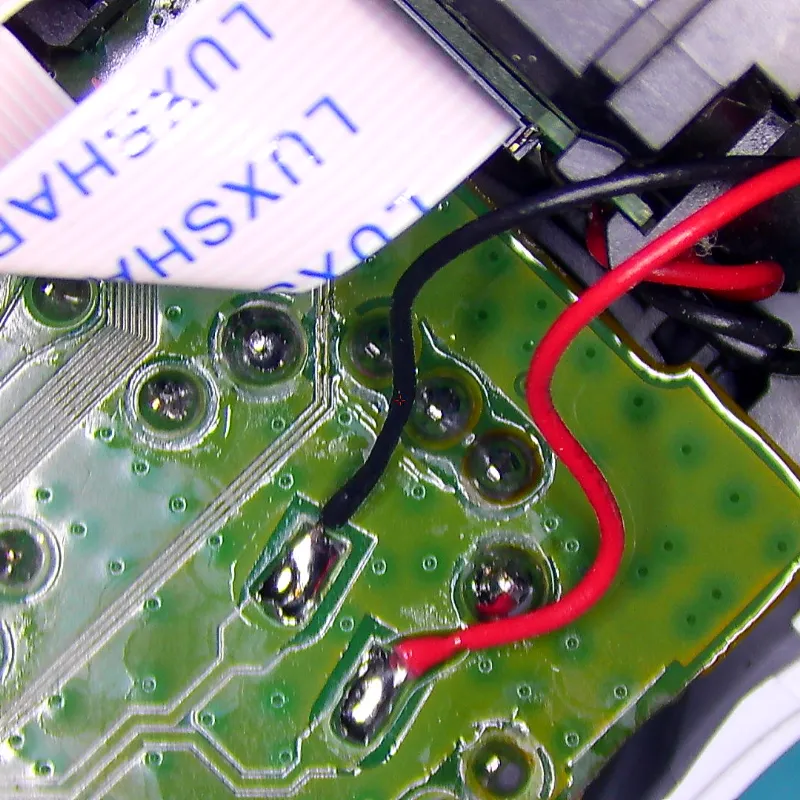
The permanent repair for PS5 stick drift is replacing the worn potentiometer sticks with contactless TMR (Tunnel Magnetoresistance) sticks, which have no contact wear on the sensor that causes drift. The job means desoldering both stick modules from the DualSense and fitting calibrated TMR modules, which is microsoldering work. At Seki Gadgets, the permanent repair is our TMR joystick conversion: both sticks replaced and calibrated for $125, with a lifetime warranty on the TMR sticks, the genuine thumbsticks and accent rings, and our microsoldering workmanship.
Component Inspection

To properly assess your controller’s condition:
- Open the DualSense casing using a Phillips-head screwdriver
- Carefully examine the analog stick modules for visible signs of wear or damage
- Look for debris accumulation in the potentiometer assembly
- Check for any loose connections or components
- Document the original position of components for easier reassembly
Spring Tension Adjustment
With access to the internal components, you can adjust the spring tension:
- Locate the metal spring that returns the stick to its centre position
- Carefully manipulate the spring to ensure equal tension on all sides
- Consider slightly bending the contact points to increase resistance
- Test the stick’s centering capability after adjustments
- Make incremental changes rather than dramatic adjustments
This modification can help compensate for wear and restore proper centering functionality to your analog sticks, potentially resolving drift problems.
Stick Module Assessment
To determine if your stick module needs replacement:
- Test resistance values using a multimeter
- Look for inconsistent readings across different positions
- Expect readings between 1K and 100K ohms depending on stick position
- Values outside this range typically indicate a faulty module
- Decide whether to attempt module replacement or consider a new controller
Professional Repair Options
When DIY solutions don’t resolve your stick drift issues, seeking professional help can provide a lasting solution, ideally with a written warranty on the workmanship.
Warranty Coverage Details
An older controller may still be covered by the Australian Consumer Law, so ask the retailer. If your PS5 DualSense controller is less than one year old, work through these steps:
- Check your eligibility for Sony’s manufacturer warranty
- Prepare proof of purchase documentation
- Ensure the controller hasn’t been physically damaged or tampered with
- Contact PlayStation Support to initiate the warranty claim process
- Follow their instructions for sending in your controller
Repair Service Providers
Consider these options for professional controller repairs:
- Authorised Sony service centres – the route Sony uses for warranty repairs
- Specialised gaming repair shops – can have different turnaround times to official channels
- Local gaming stores – many offer in-house repair services with experienced technicians
- Mail-in repair services – convenient options with varying price points and turnaround times
Turnaround varies between providers. At Seki Gadgets, TMR joystick conversions typically take 3 to 5 business days from drop-off or receipt, subject to workload and parts availability.
Cost Considerations
At Seki Gadgets in Canberra, controller repair pricing is published upfront:
- Controller teardown and cleaning service – $45
- Button, D-pad, and trigger repairs – $70
- GuliKit TMR joystick conversion – $125, with a lifetime workmanship warranty
Compare that with an RRP of $119.95 for a new standard DualSense, which uses the same drift-prone potentiometer sticks as the controller you’d be replacing. Many Australian professional game repair services publish warranties of around three to six months on this work; our TMR conversions carry a lifetime warranty.
Prevention Methods
Implementing preventive measures can reduce the likelihood of stick drift developing and help your controller last longer.
Proper Storage Practices
Maintain your controller’s functionality by:
- Storing it in a clean, dust-free environment
- Using a dedicated storage case when possible
- Placing it in an upright position when not in use
- Preventing unnecessary pressure on the analog sticks
- Keeping it away from direct sunlight and heat sources
These practices can reduce the risk of stick drift by preventing dust accumulation and mechanical stress on the joystick components.
Usage Guidelines
Prevent damage during gameplay by:
- Avoiding excessive physical force on the analog sticks
- Maintaining a gentle touch while gaming
- Not pushing sticks against their maximum radius unnecessarily
- Taking regular breaks during extended gaming sessions
- Cleaning your hands before playing
BGR notes that aggressive button mashing during a tense multiplayer match can wear controllers down, so a gentle touch puts less stress on the stick mechanism and can help it last longer.
Environmental Factors
Maintain optimal environmental conditions for your controller:
- Keep your gaming area between 15-24°C
- Maintain humidity levels between 40-60%
- Store away from direct sunlight
- Protect from extreme temperatures
- Monitor room temperature regularly
- Use dehumidifiers if needed
- Keep away from heating vents
- Avoid exposure to moisture
A controlled environment significantly impacts your controller’s longevity and performance.
Alternative Solutions
After trying basic troubleshooting steps, you might want to explore these alternative options to resolve your PS5 controller drift issues.
Third-Party Accessories
Consider these third-party accessories:
- Analog stick replacements
- Thumb grip extensions
- Stick sensitivity modifiers
- Protective covers and cases
Thumb grips and silicone covers typically cost between $10-$30 at Australian retailers (prices checked October 2026). They can improve comfort and grip, but they do not repair a worn stick sensor.
Controller Modifications

Some situations call for more extensive solutions:
- Replace potentiometers with higher quality alternatives
- Install aftermarket components for improved durability
- Modify the controller’s hardware for better performance
- Consider complete analog module replacements
| Technology | Contactless | Precision | Drift Free | Typical Use |
|---|---|---|---|---|
| Potentiometer | ❌ | Medium | ❌ | Standard Controllers |
| Hall Effect | ✅ | High | ✅ | High-end Controllers, Mod Kits |
| TMR | ✅ | Very High | ✅ | Premium Controllers, Industrial Use |
The permanent repair: at Seki Gadgets we convert PS5 DualSense controllers to TMR joysticks for $125, with your choice of four quality modules, backed by a lifetime warranty on the TMR sticks, genuine parts and microsoldering workmanship. TMR (Tunnel Magnetoresistance) sensors are contactless, so the contact wear behind potentiometer drift is designed out. Request a free TMR conversion quote and compare the module options below.
| Module | Tension | Feel | Recommended For |
|---|---|---|---|
| GuliKit NS51 TMR | Not published by GuliKit | Solid all-rounder | All games. In stock, fastest turnaround |
| Aknes x Hallpi V6 TMR | ~70-80gf | Closest feel to your original sticks | All games (our general recommendation) |
| K Silver JS13 Pro+ TMR | ~70-80gf | Voted smoothest | COD and Battlefield |
| Ginfull DS13 Max 2.0 TMR | ~70-80gf | Linear and light | COD and Battlefield |
While these modifications require technical knowledge and may affect your Sony warranty, they often provide longer-lasting results compared to temporary measures.
Temporary Fixes
When permanent solutions aren’t immediately available:
- Adjust dead zones in compatible games
- Use contact cleaner on the analog stick base
- Apply slight pressure to realign the stick mechanism
- Modify in-game sensitivity settings
These adjustments can help compensate for mild drift issues while you work on a more permanent solution.
When to Replace Your Controller
It’s important to know when replacement becomes necessary for your PS5 controller.
Signs It’s Time for Replacement
Consider replacement if:
- Drift persists after attempting all troubleshooting steps
- There’s visible damage to the analog stick mechanism
- The controller is more than 2-3 years old with heavy usage
- Multiple buttons or features are malfunctioning
- The cost of repairs approaches the price of a new controller
iFixit’s 2021 teardown found Alps Alpine stick sensors rated for 2,000,000 cycles and estimated that, in a heavy-use game such as Call of Duty: Modern Warfare, they could reach that rated life in roughly 417 hours of play. It is an estimate based on rated cycles, not a measured failure rate.
Cost-Benefit Analysis
A new standard DualSense controller has an RRP of $119.95 in Australia, while professional repairs at our Canberra workshop range from $45 for a teardown and clean to $125 for a permanent TMR joystick conversion. Weigh these costs against:
- The remaining lifespan of your current controller
- The severity of the drift issue affecting your gaming experience
- How frequently you use your controller
- Whether other issues exist besides stick drift
- If you’re considering upgrading anyway
Remember that the standard DualSense uses potentiometer sticks, so replacement resets the drift clock rather than removing the cause. A TMR conversion costs more than some repairs but removes the contact wear that causes drift.
Replacement Options
The market offers several choices when replacing your PS5 controller:
- Standard DualSense controller ($119.95 RRP) – basic model with all standard features
- DualSense Edge (around $330 at Australian retailers, with stock varying) – premium model with customisable features and replaceable stick modules
- Third-party alternatives – varying features and compatibility
While third-party controllers might be more affordable, they may not offer the full range of DualSense features like haptic feedback and adaptive triggers.
Upgrade Considerations
Controller replacement presents an opportunity to upgrade your gaming experience. The DualSense Edge offers:
- Customisable button mapping
- Adjustable trigger sensitivity
- Replaceable stick modules
- Back buttons for additional inputs
- Custom profiles for different games
A TMR conversion of your existing DualSense replaces the drift-prone potentiometer sticks with drift-free TMR sticks for $125, without giving up the controller you already own.
Conclusion
Addressing PS5 controller stick drift doesn’t have to be an overwhelming task when following the right steps. From adjusting input thresholds to cleaning the analog sticks, you now have several troubleshooting methods to tackle this common gaming issue.
Your gaming experience shouldn’t be compromised by technical issues, and these solutions should help you get back to enjoying your favourite games without unwanted controller movements. If none of these methods resolve your stick drift issue, consider having your controller professionally serviced at Seki Gadgets in Canberra.
Remember that regular maintenance and careful handling of your controller are the best ways to prevent stick drift from developing in the first place.
Ready to Repair Your PS5 Controller Stick Drift? Here’s Your Next Step
Don’t let stick drift keep you from enjoying your favourite games. At Seki Gadgets in Canberra, our certified technicians specialise in PS5 controller repairs, including microsoldering-level TMR joystick conversions.
TMR joystick conversions typically take 3 to 5 business days, subject to workload and parts availability, and our diagnostic fee is waived when you go ahead with the repair, so you’ll know exactly what needs repairing before you commit. Our Franklin workshop location is convenient for gamers throughout the Canberra region.
When you choose Seki Gadgets for your PS5 controller repairs, you benefit from:
- Certified technicians specialising in PS5 controller repairs
- Genuine OEM parts where available, quality-tested aftermarket where not
- Detailed diagnostics to identify exactly what’s causing your stick drift, with our diagnostic fee waived when you go ahead with the repair
- Lifetime warranty on our TMR joystick conversions (TMR sticks, genuine parts and microsoldering workmanship)
- Backed by 400+ five-star Google reviews from customers across Canberra
- Clean, professional workshop with specialised controller repair equipment
- Transparent published pricing (teardown and clean $45, button and trigger repairs $70, TMR conversion $125)
Contact us today at Seki Gadgets in Franklin to schedule your repair or ask questions about our PS5 controller repair services. Your gaming controller is in good hands with our certified and experienced team.
Request a free controller repair estimate and get your DualSense back to peak performance.
Frequently Asked Questions
Does PS5 stick drift mean I need a new controller?
Stick drift on its own does not mean you need a new PS5 controller, because the worn stick modules can be replaced. Minor drift usually responds to a reset, a clean, a firmware update or adjusted deadzones. Persistent drift means the stick hardware is worn, and we repair it by replacing both stick modules with a TMR joystick conversion.
What are the main signs of stick drift in a PS5 controller?
The primary signs include unexpected character or cursor movement without touching the analog sticks, continuous scrolling in menus, and in-game camera rotation without player input. You may also notice your character moving in a specific direction even when the analog stick is in a neutral position.
Why do PS5 controllers get stick drift so easily?
PS5 controllers get stick drift because their analog sticks use potentiometers, contact sensors that wear a little with every movement. iFixit calls this wear the hardest cause of drift to avoid. Heavy, constant stick movement uses up the sensors’ rated cycles sooner, so fast-paced shooters tend to wear sticks quicker than slower games. Dust and rough handling add to the wear.
Can cleaning the controller fix stick drift issues?
Yes, cleaning can often resolve stick drift problems. Use compressed air to remove dust and debris around the analog sticks, then gently clean the area with a dry microfiber cloth. Avoid letting any liquid seep into the controller, as it can damage internal components. Regular cleaning can prevent drift issues from developing.
How long does a PS5 controller typically last before experiencing stick drift?
There is no reliable figure. iFixit’s 2021 teardown found Alps Alpine stick sensors rated for 2,000,000 cycles and estimated that, in a heavy-use game like Call of Duty: Modern Warfare, they could reach that rated life after roughly 417 hours of play. That is an estimate from rated cycles, not a measured failure rate, so real-world life varies with the games you play, how you handle the sticks and the individual controller. Some controllers never drift, while others show symptoms earlier.
Will PlayStation repair PS5 stick drift for free?
Sony may repair stick drift at no cost if your DualSense was bought new from an authorised dealer in the past year, but Sony decides each claim. The Australian Consumer Law gives consumer guarantees that can apply after that year, so ask the retailer or Sony first. If your controller is older or has handling damage, we can repair it.
Can I calibrate my PS5 controller to fix stick drift?
Unfortunately, the PS5 doesn’t have a built-in calibration feature for controllers. However, you can try resetting your controller by pressing the small reset button on the back using a pin. Additionally, adjusting in-game deadzone settings can help compensate for minor drift issues.
How do you permanently repair PS5 stick drift?
Permanently repairing PS5 stick drift means replacing the worn potentiometer sticks with contactless TMR (Tunnel Magnetoresistance) sticks, which have no contact wear on the sensor. At Seki Gadgets that conversion is $125, with a lifetime warranty on the TMR sticks, genuine thumbsticks and accent rings, and our microsoldering workmanship. You choose from four TMR modules and keep your own controller.